




















































12.08.2025
16:49
You can automatically install BrainyCP on your VPS using our script system. Follow these steps:
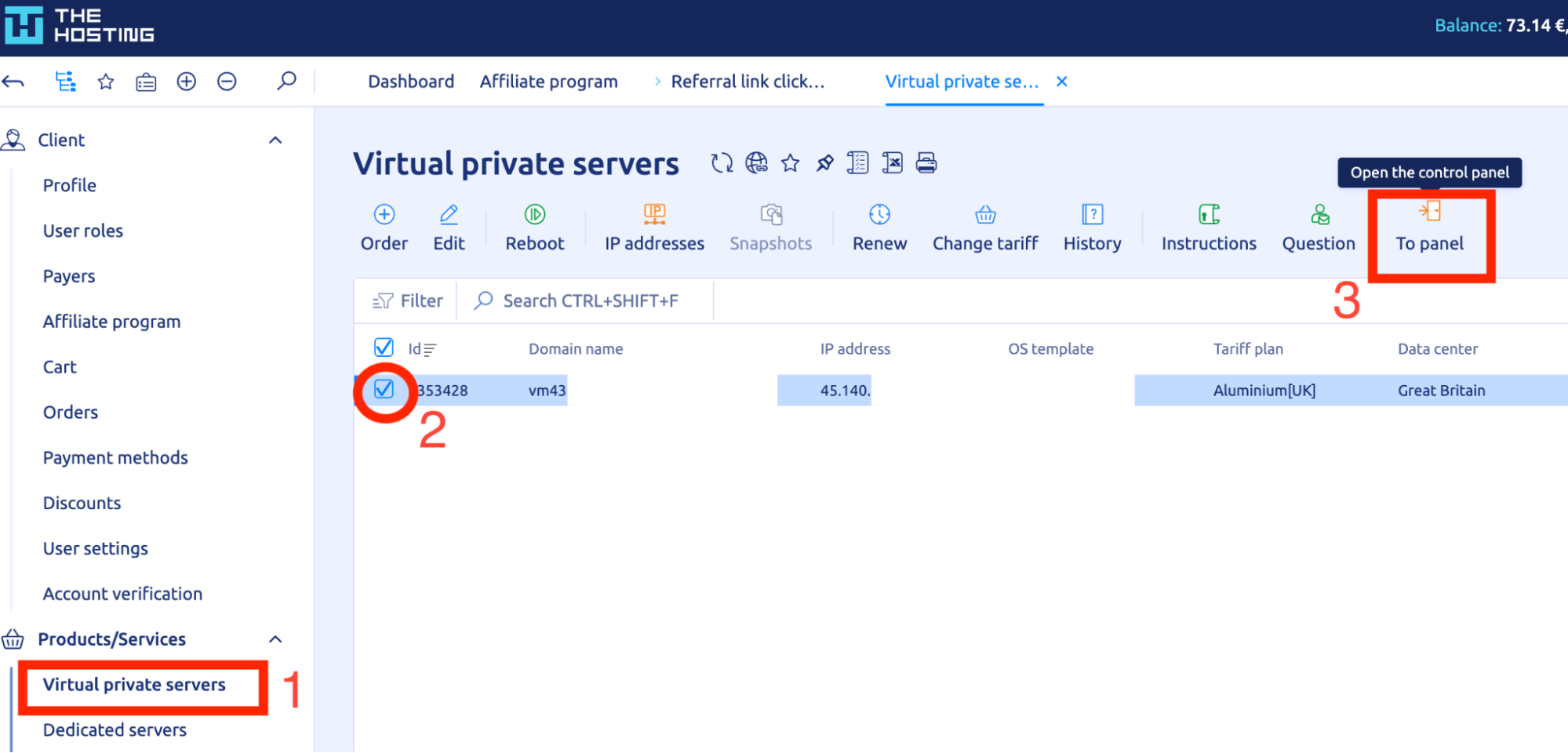
Step 1 — Open the control panel
- In the billing area, open the Virtual private servers section.
- Select your server.
- Click To panel to access the VPS control interface.
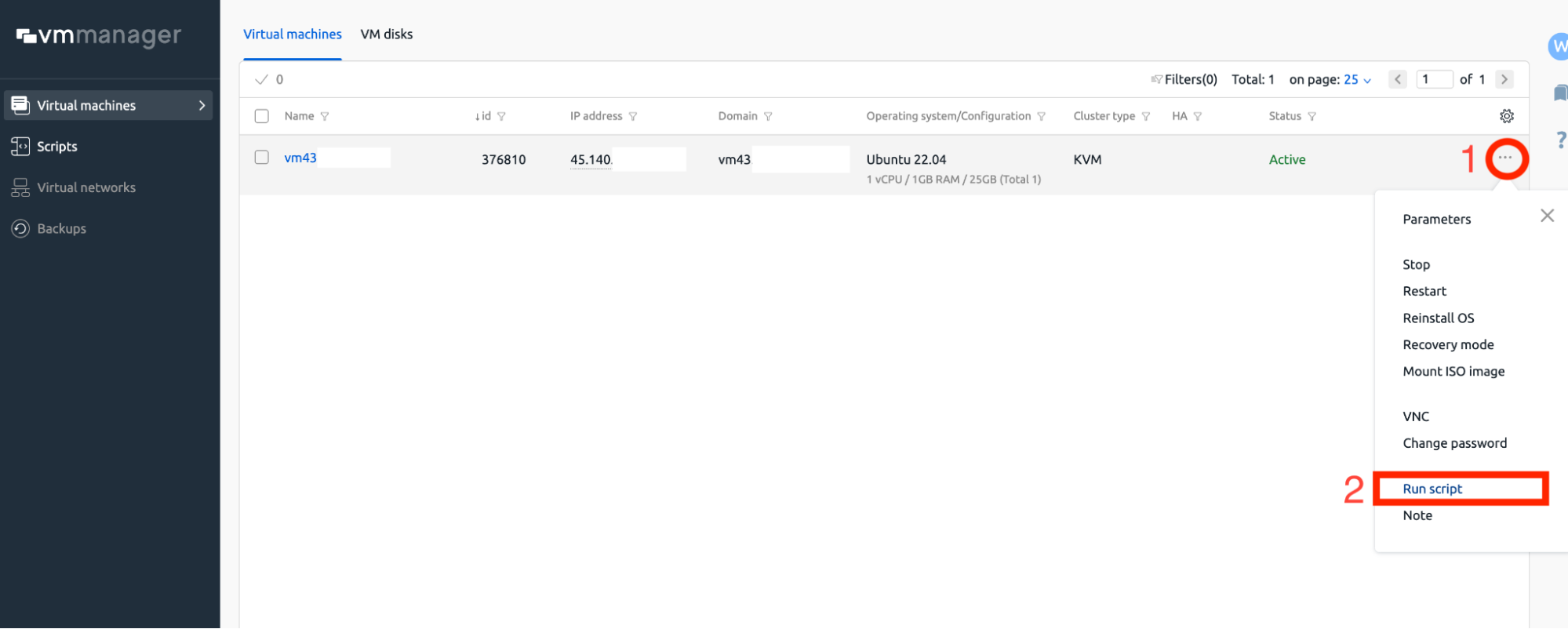
Step 2 — Launch the installation script
- In the control panel, click the "⋯" menu next to your VPS.
- Choose Run script from the dropdown.
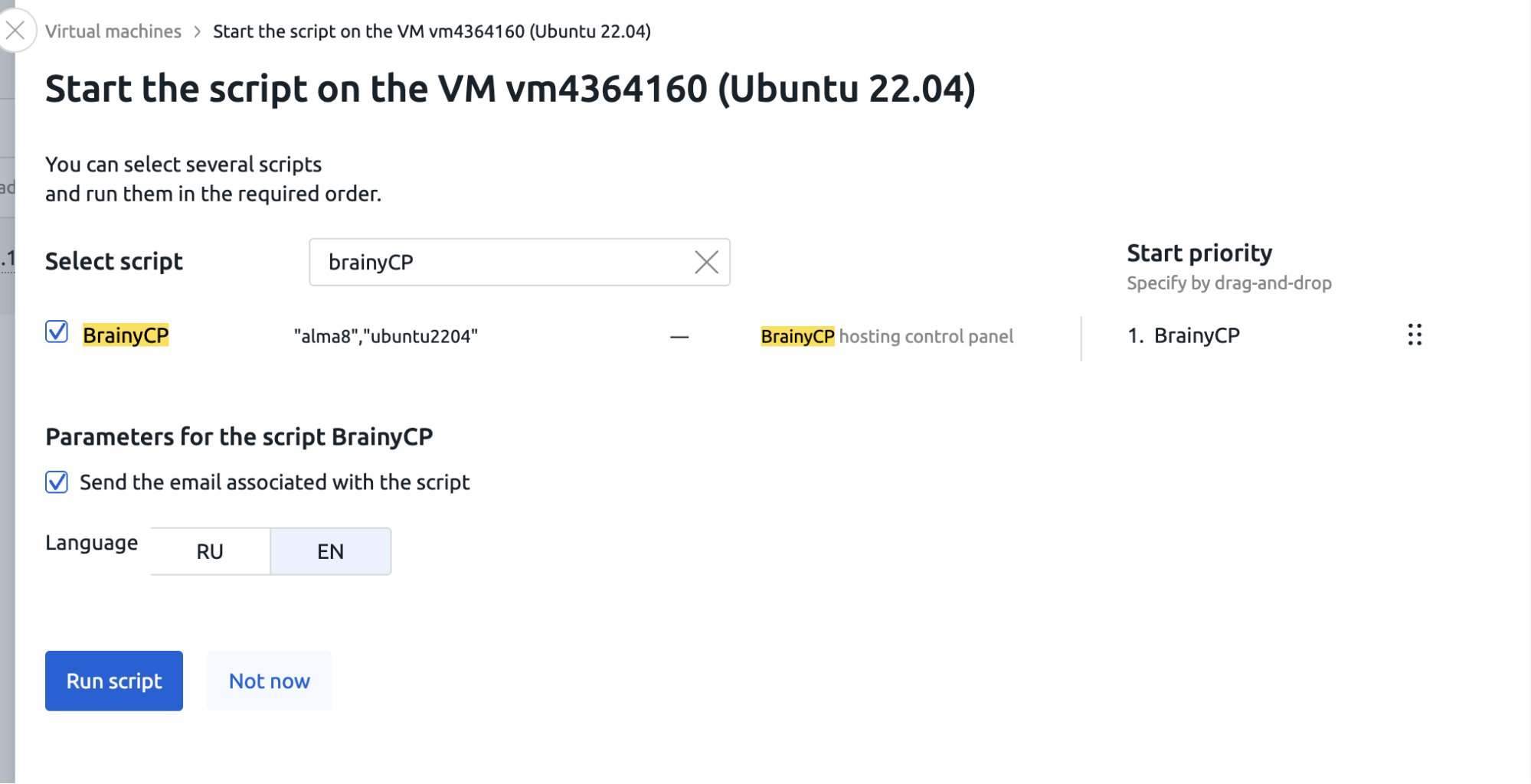
Step 3 — Select BrainyCP
- Find and select the BrainyCP script.
- Make sure the checkbox “Send the email associated with the script” is active.
- Choose the interface language (RU or EN).
- Click Run script.
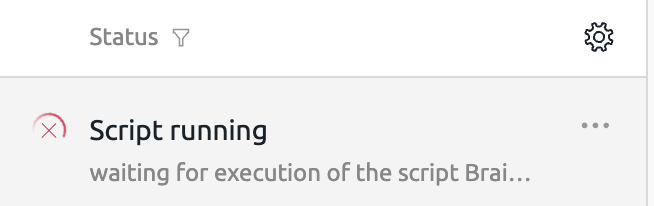
The installation will start automatically. The panel will be configured and ready to use once the script finishes.
Accessing BrainyCP
As soon as the installation is complete, you’ll receive an email with:
- A direct link to access BrainyCP
- Your login credentials
Use this data to log in and start working with your new hosting panel.
20% OFF for new server order in any country!
A reliable server for your projects at an affordable price.
Other articles
12.08.2025
1 138
Knowledge base / Automatic installation of scripts
12.08.2025
1 124
Knowledge base / Automatic installation of scripts
12.08.2025
742
Knowledge base / Automatic installation of scripts