




















































Plesk is a commercial hosting control panel trusted by developers, hosting companies, and businesses around the world. It offers a powerful web interface for managing websites, email, databases, security tools, and more — all in one place. The installation process is fully automated and takes just a few minutes through VMmanager.
Supported operating systems: Debian 11, Debian 12, Ubuntu 22.04, Ubuntu 24.04
This guide uses Ubuntu 22.04.
Step 1: Access the server control panel
- Log in to your billing
- Go to the Virtual private servers section
- Select the VPS where you want to install Plesk
- Click the To panel button to open VMmanager
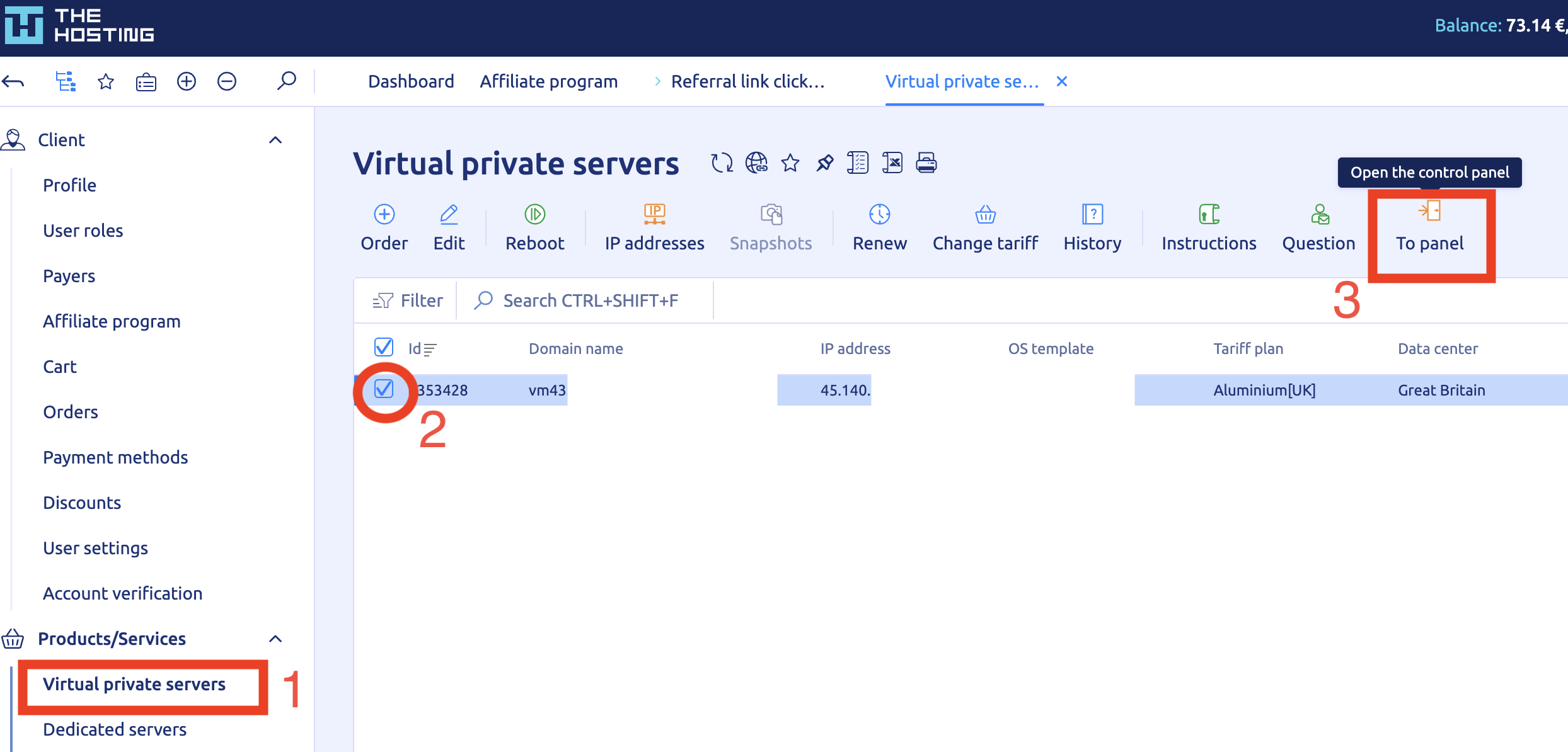
This opens the server management interface where you can run scripts, reboot the server, or reinstall the OS.
Step 2: Launch the Plesk script
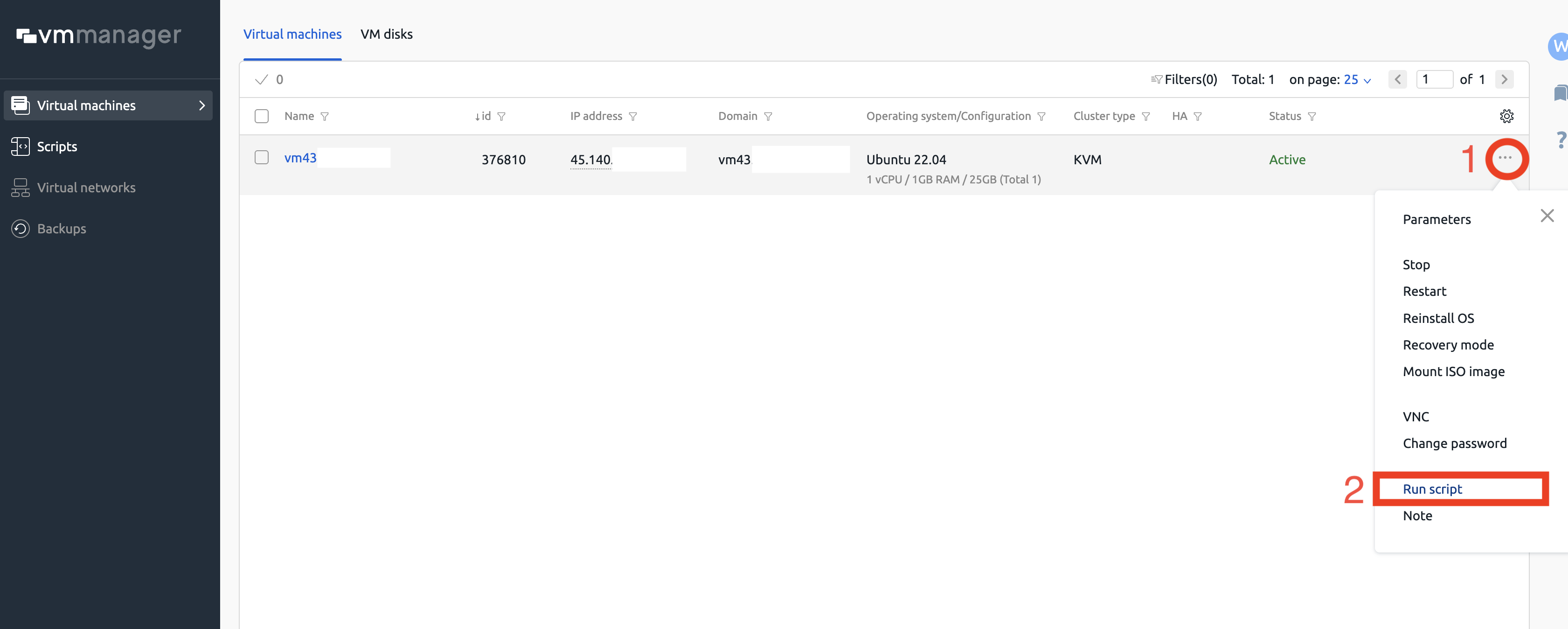
1. In VMmanager, click the three dots next to your server.
2. Choose Run script from the dropdown menu.
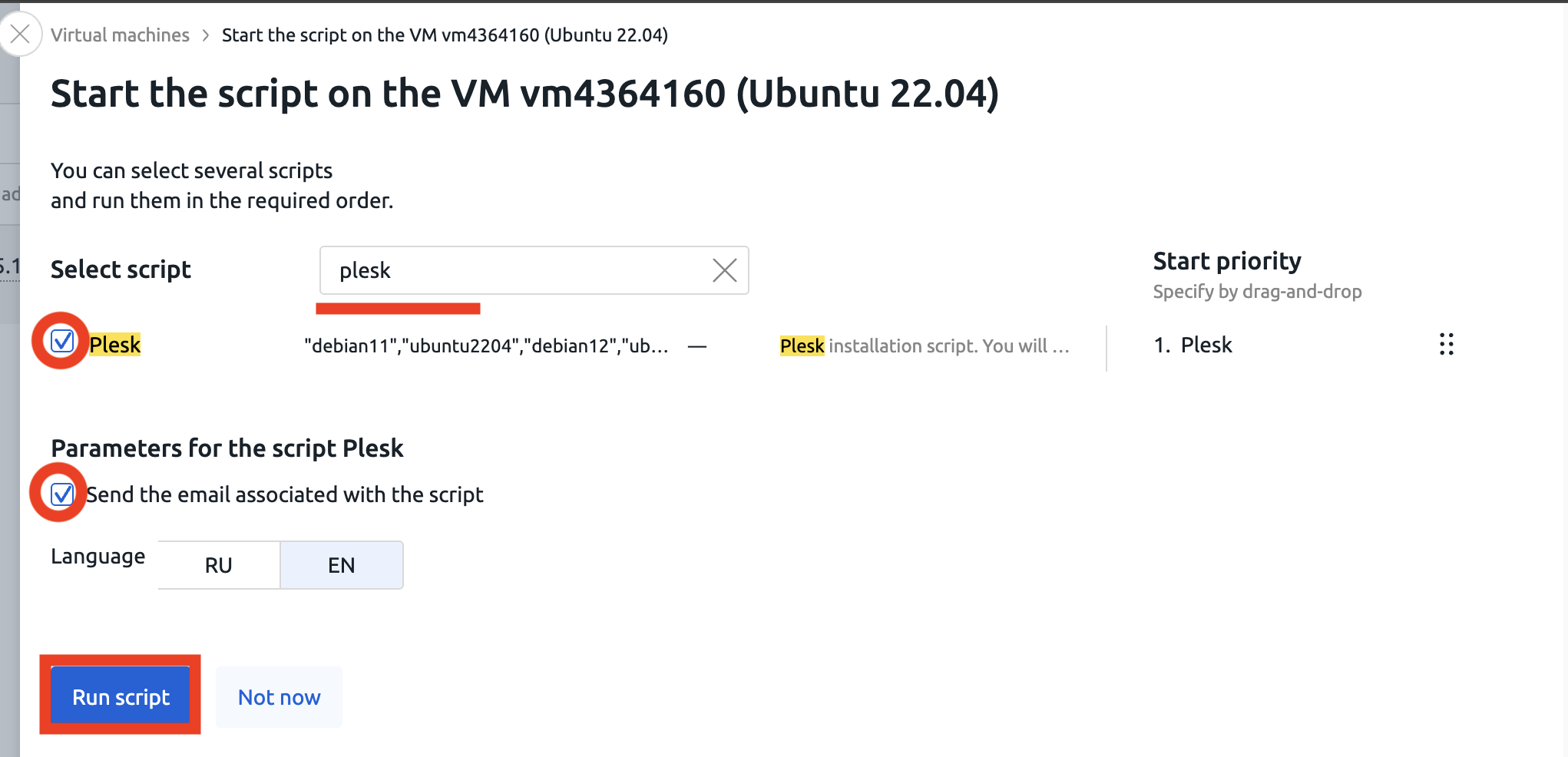
3. Type plesk in the search bar.
4. Select the Plesk script from the list.
Confirm that the supported OS list includes: debian11, debian12, ubuntu2204, ubuntu2404.
5. Tick the box Send the email associated with the script.
This ensures you’ll receive the login credentials once the installation is finished.
6. Click Run script to start the process.
Step 3: Wait for completion
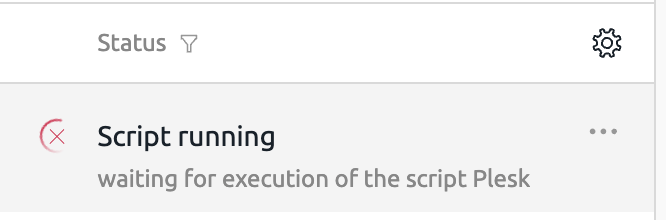
After launching the script, the system will display Script running. The installation usually takes between 10 and 15 minutes depending on server performance. When complete, the server status will change to Active.
Accessing Plesk
Once the installation is done, Plesk will be available via HTTPS at the following address: https://<your_server_ip>:8443
Example: https://45.140.xxx.xxx:8443
Your login credentials will be sent to the email associated with your VPS.
Before installing other software
If you plan to install something else later, be sure to reinstall the OS first. Auto-installation scripts only work on a clean system. You can do this in VMmanager by selecting Reinstall OS from the server menu.
Plesk is now ready to use. You can begin setting up domains, websites, mailboxes, and databases immediately through the intuitive web interface.