




















































We have already covered such Linux utilities as findmnt and Ncdu, now let's talk about another equally useful utility. nethogs is a Linux command line utility that is used to display information about network processes and their bandwidth utilization.
Functionality of the nethogs program
The main functions of nethogs include:
- Displaying a list of active network processes and their bandwidth utilization.
- Shows the amount of data sent and received for each process.
- Ability to filter output by various criteria such as IP address or port.
- Supports interactive mode that allows you to monitor bandwidth utilization in real time.
How to install.
To install nethogs on Ubuntu or other Debian-based distributions, you can use the following command:
sudo apt-get install nethogs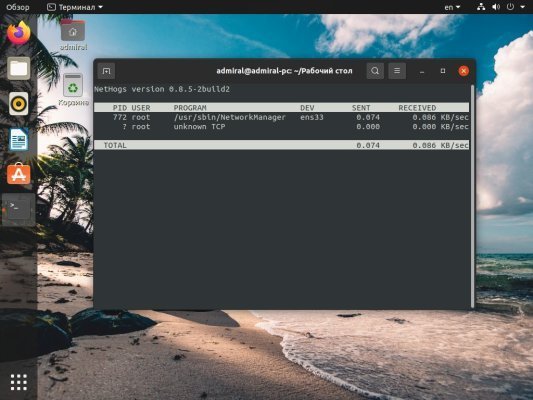
Once installed, you can run nethogs by running the sudo nethogs command in the terminal. The utility will start monitoring bandwidth utilization by network processes and will display relevant information in real time.
Graphical display of speed
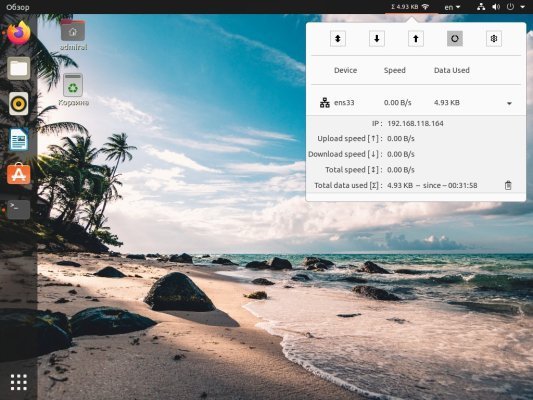
Need a graphical display of speed? Use the GNOME Network stats shell extension. In this case, the speed will be displayed directly in the taskbar. Detailed statistics are also available.