




















































21.10.2023
23:48
Ncdu (Ncurses Disk Usage) is a command-line tool for analyzing disk space usage in the Linux operating system. It uses the ncurses library to create an interactive text interface.
What Ncdu can do
Ncdu allows the user to quickly and easily determine which files and directories are taking up the most disk space. It displays the size of each file or directory, as well as the total size of all files and directories in the current directory.
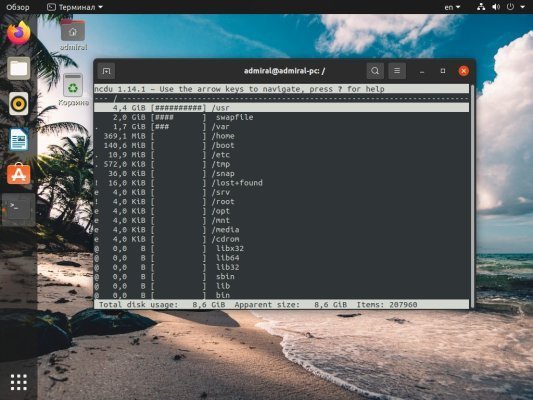
Ncdu's main features include:
- Visualizing disk space usage as a tree structure.
- Sorting files and directories by size to quickly identify the most space-consuming items.
- Ability to delete files and directories directly from the Ncdu interface.
- Support for keyboard shortcuts for easy navigation and execution of various operations.
How to install the program?
To install Ncdu on Ubuntu or other Debian-based distributions, you can use the following command:
$ sudo apt-get install ncduOnce installed, you can launch Ncdu by running the command ncdu in the terminal. The Ncdu interface will be displayed in the terminal and you can start analyzing disk space usage.
15% OFF White & Black Pearl
Order a new dedicated server in the U.S. and the Netherlands
Other articles
21.10.2023
10 554
Knowledge base / Instructions
21.10.2023
39 203
Knowledge base / Instructions
21.10.2023
7 599
Knowledge base / Instructions