To reinstall the OS
Follow the steps below:
IMPORTANT: The process of reinstalling the operating system will destroy existing data on your hard disk. If you have sensitive data on the server - we recommend making a backup copy beforehand!!!
1. Authorize in billing. (Authorization data can be found on your E-mail, which you used when registering your account)
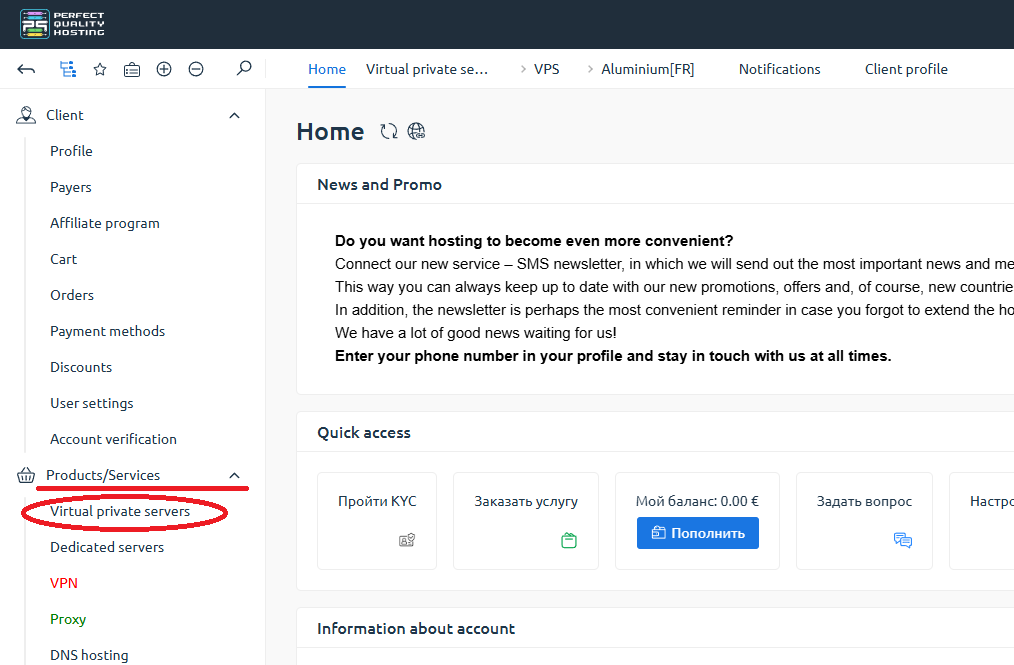
2. On the left, under "Products/Services" - click on "Virtual private Servers".
3. Select the server you are interested in and click on the "To Panel" button.
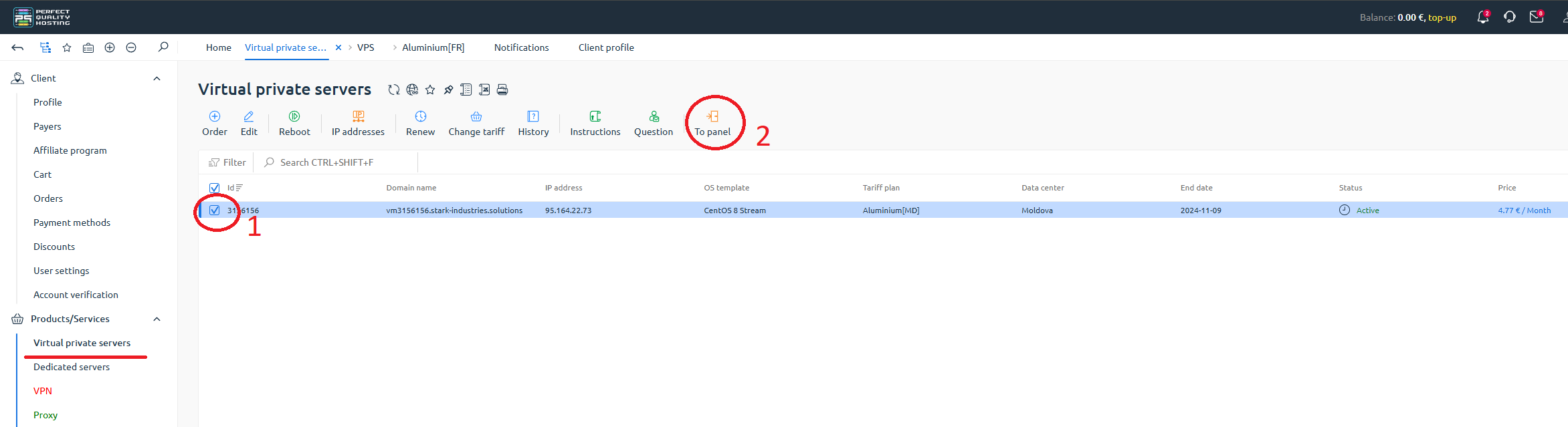
You will be redirected to the control panel.
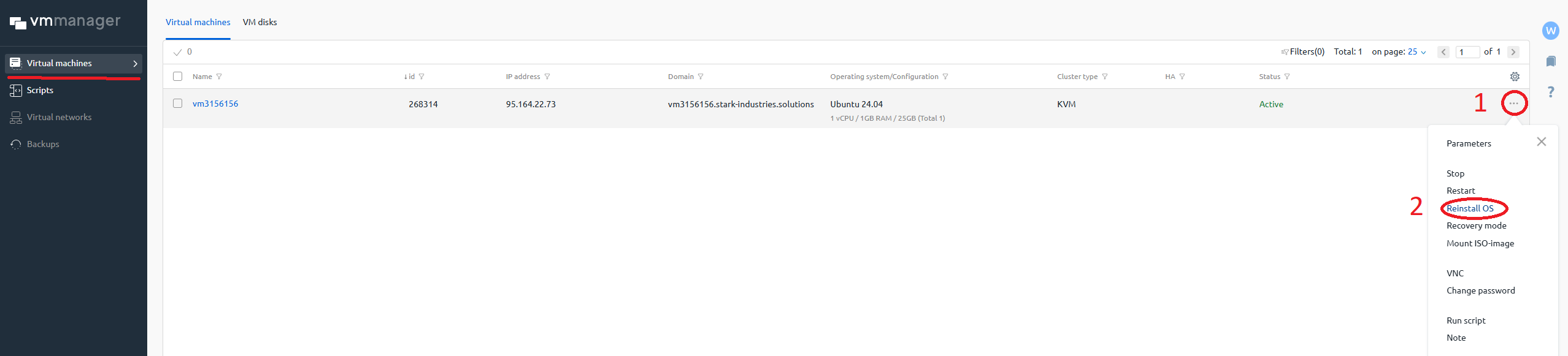
4. In the "Virtual Machines" column - click on the "three dots".
5. Click on "Reinstall OS."
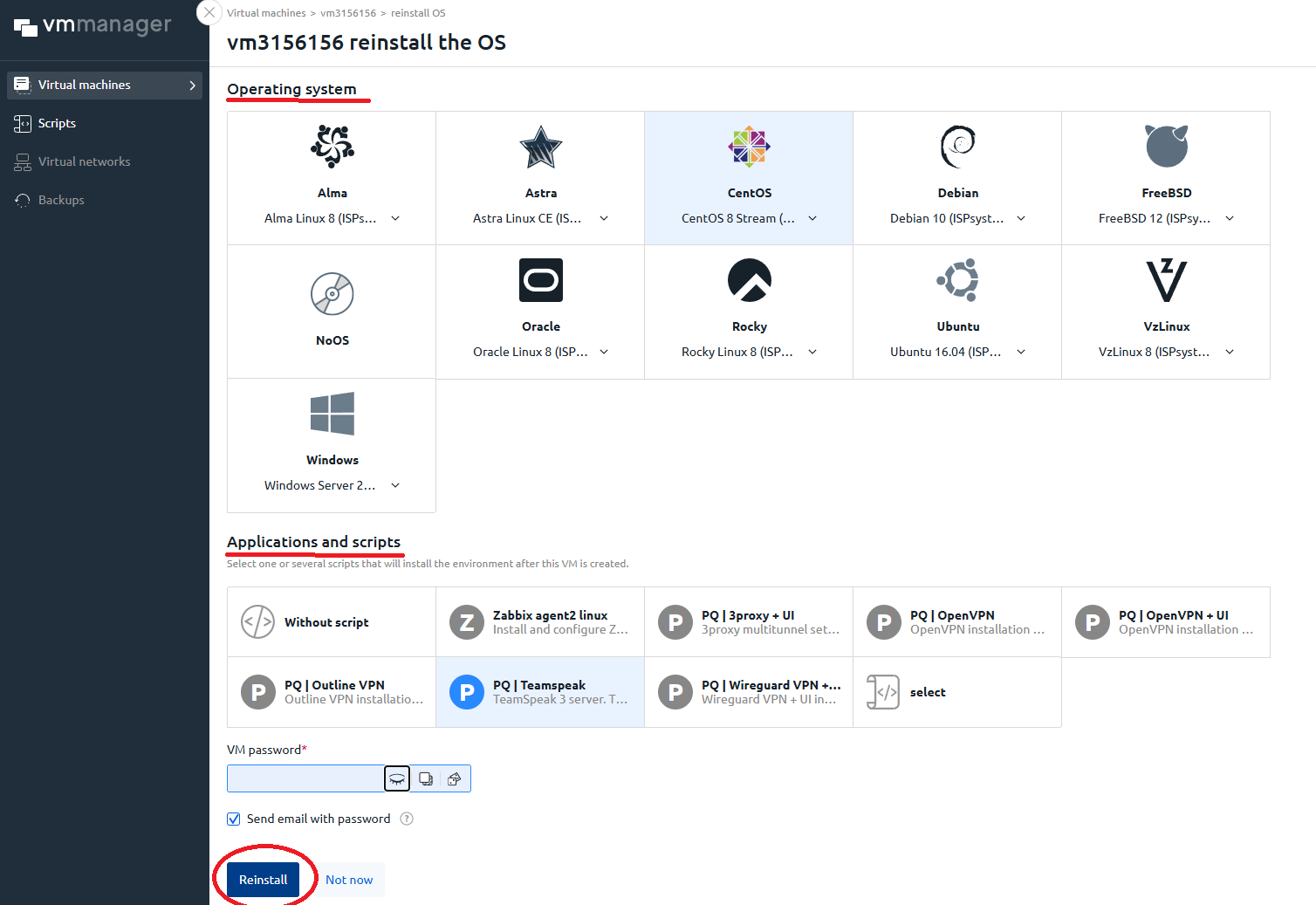
6. In the window that opens - select the desired operating system and scripts (if necessary).
7. Click the "Reinstall" button.
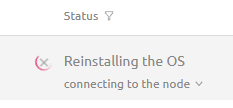
The reinstallation process has started, you can track it in the "Status" column.