




















































05.11.2024
19:36
To change the password on your server, follow these steps:
1. Authorize in billing. (Authorization data can be found on your E-mail, which you used when registering your account)
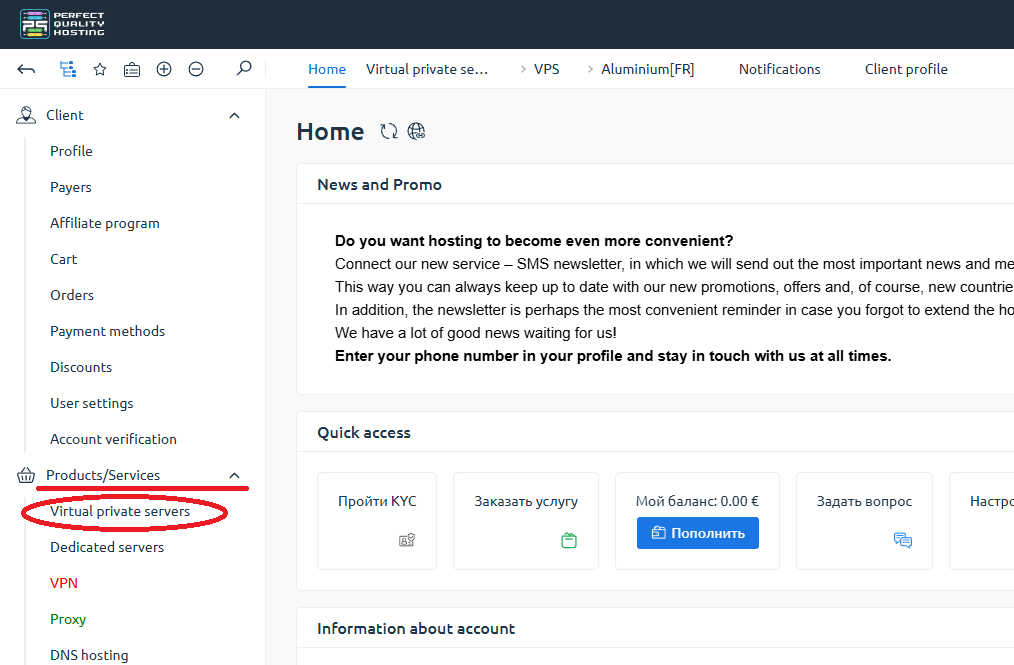
2. On the left, under "Products/Services" - click on "Virtual private Servers".
3. Select the server we are interested in and click on the "To panel" button.
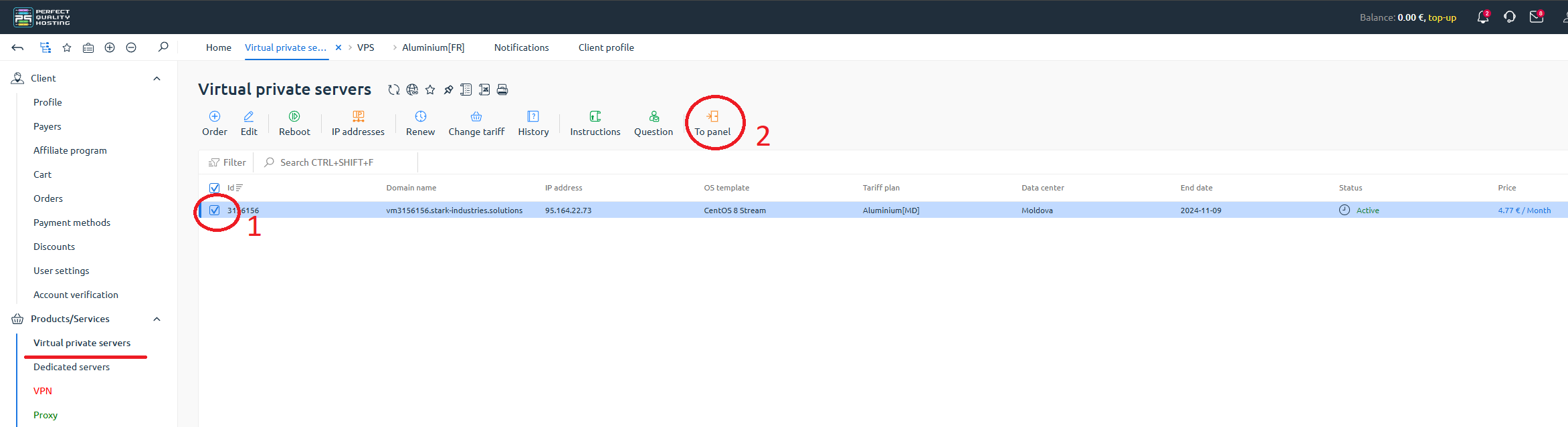
You will be redirected to the control panel.
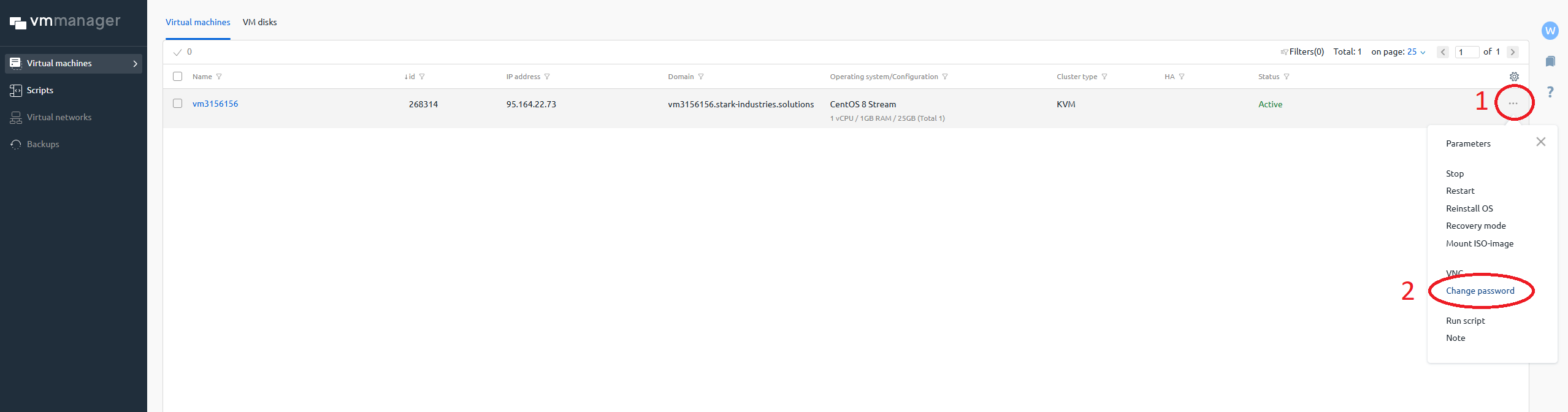
4. In the "Virtual Machines" column - click on the "three dots".
5. Click on "Change Password".
6. Enter the new password.
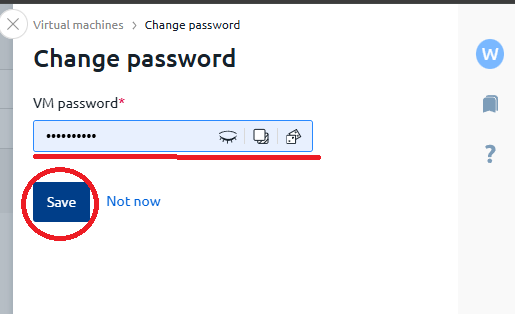
7. Click on "Save."
20% OFF for new server order in any country!
A reliable server for your projects at an affordable price.
Other articles
05.11.2024
13 460
Knowledge base / Information
05.11.2024
11 459
Knowledge base / Commands
05.11.2024
13 100
Knowledge base / Information