




















































mkdir is a command-line command used to create new folders (directories) in the operating system's file system. The command is commonly available on a variety of operating systems, including Linux, macOS, and Windows.
mkdir takes one or more arguments in the form of folder names to be created. New folders can be created either in the current working directory or in the specified path. When creating folders, you need to provide access rights and permissions, depending on the operating system settings and the user's current session. This command also supports various options and flags that can control the folder creation process, including subfolders, recursive folder creation, and more.
What the mkdir command is used for
The mkdir command is used to create a new folder (or multiple folders) in a file system. It can take one or more arguments in the form of paths to the new folders to be created. For example, mkdir Documents will create a new folder named Documents in the current working directory.
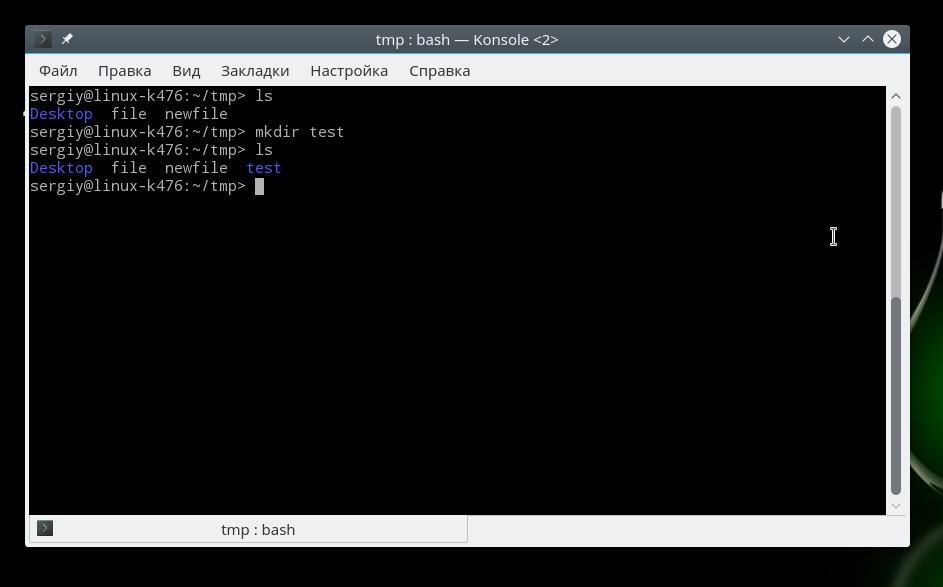
Also, mkdir can be used with options to control how folders are created. For example, the `-p` option, as in the `mkdir-p Documents/Folder1/Folder2` command, allows you to createsubfolders, including all intermediate directories if they do not exist.
Instructions on how to create a folder using mkdir
The following commands are used to create a folder using the mkdir command on various operating systems:
Windows:
mkdir <folder path>.
Example:
mkdir C:UsersUser_NameNew_FolderLinux and macOS:
mkdir <folder path>.
Example:
mkdir /home/User_Name/New_FolderIn both cases, the mkdir command will create a folder with the specified path if such a folder does not already exist.