




















































While connecting to a remote desktop connection (RDP), users encounter a problem such as a black screen. Most often, this problem is due to the fact that the session has simply hung. You may have noticed that a session hangs when you can't log out of your login, or simply when the RDP window closes, sometimes this is justified for a quick reconnect.
Unlogging a user via Task Manager
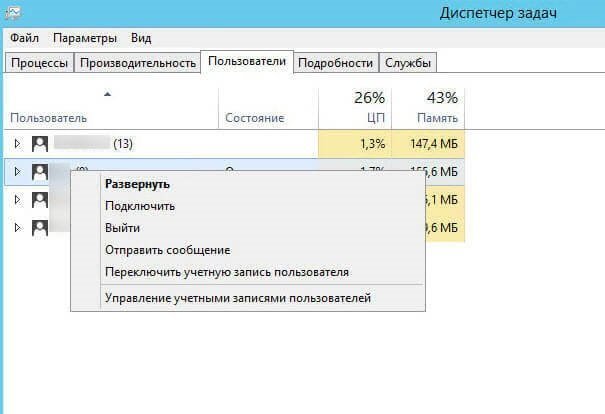
Admin or any user with rights can go to the Task Manager, then select "Users" and find the user you need. After which it will remain to press the "Logout" button. The user who had a black screen will connect again via RDP. The problem will be eliminated.
User logout without administrator intervention
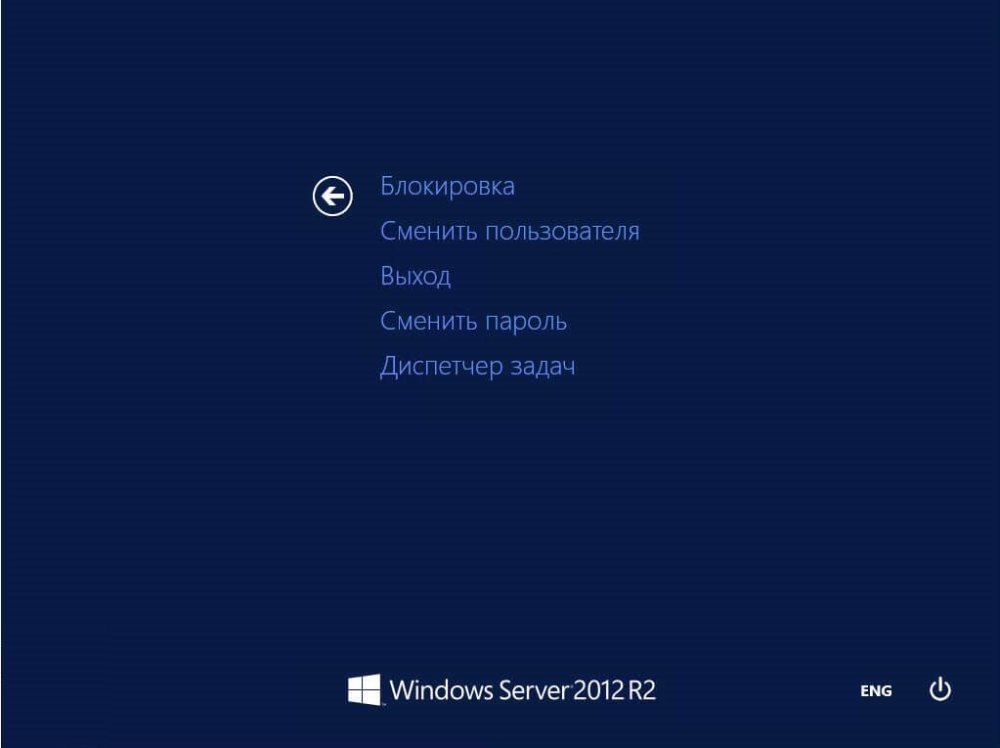
Another technique: the user has the ability to perform the task himself without administrator intervention: in the RDP session, when the black screen appears, press ctrl+alt+end. In the menu select Logout or Log off.
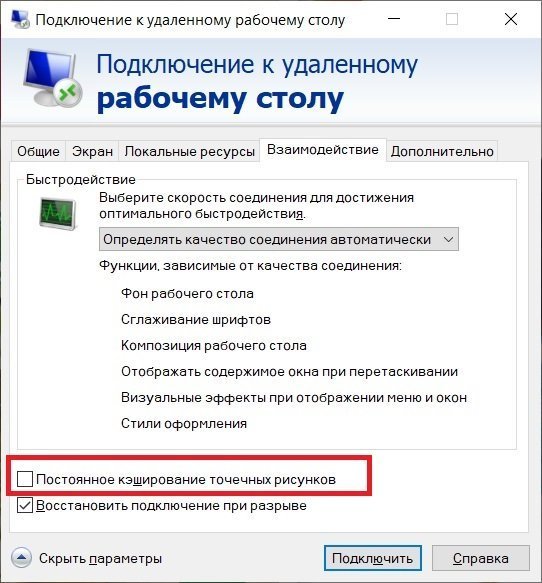
Disabling dot pattern caching
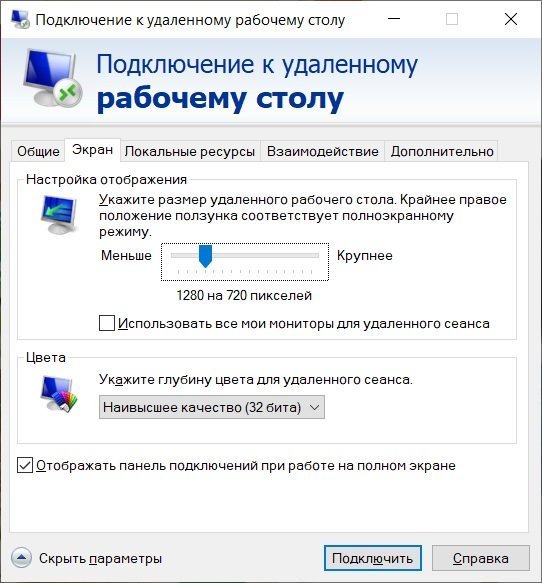
If after the actions performed, you still have not eliminated the problem, edit the user's connection settings. In the "Interaction" menu, uncheck the box next to "Permanent caching of dot patterns".
You can also reduce the screen resolution for the RDP session.
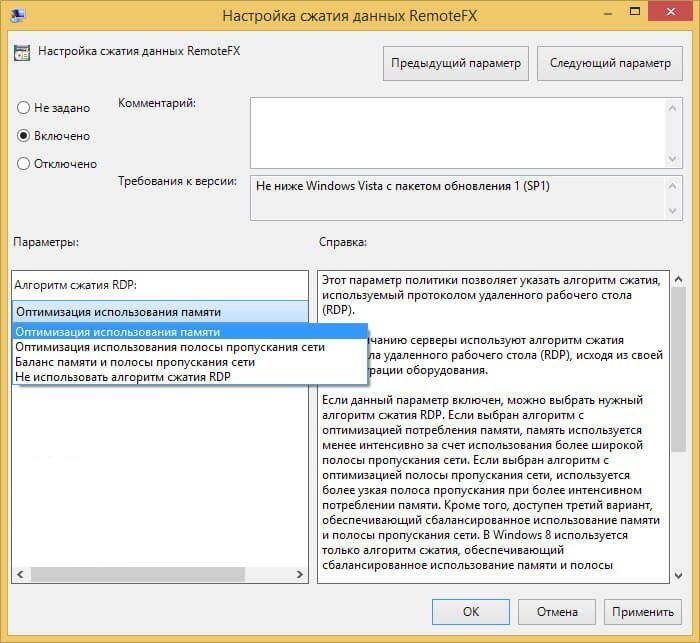
If that doesn't work either, disable compression for RDP. This advice is often heard in Microsoft tech support.
To do this, press:
According to various observations, sometimes disabling the taskoffload function can help with black screens. Open a command line on the server as administrator and type: netsh int ip set global taskoffload=disabled
After that, reboot the server.
Licensing the server
Make sure that the server is licensed and no errors appear besides a black screen. An error means that the terminal server is not licensed. You need a license.