




















































The setfacl utility in Linux is used to set and manage advanced access control lists (ACLs) for files and directories. ACLs allow for more flexible access rights management than standard Linux access rights.
The functionality of the utility
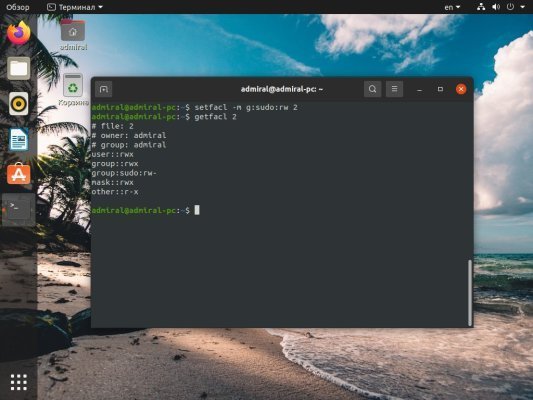
setfacl allows you to perform the following functions:
- Set advanced access control lists (ACLs) for files and directories. ACLs allow you to set access rights that are more flexible than standard Linux access rights.
- Modifying existing ACLs. You can modify access rights for specific users, groups, or all users.
- Removing ACLs. If you no longer need advanced access control lists, you can remove them using the
setfaclcommand. - Displaying current ACLs. You can use the
setfaclcommand to view the current access rights for files and directories. - Copy ACLs. Allows you to copy an ACL from one file or directory to another using the
setfaclcommand. - Setting inherited access rights. You can set inherited permissions for directories so that new files and subdirectories automatically inherit permissions from the parent directory.
- Setting an ACL mask. The mask defines the maximum access rights for all users and groups in an ACL.
setfacl is a powerful tool for managing access rights in Linux and can be useful in various scenarios such as setting different access rights for different users or groups, setting read-only or write-only permissions.
How to install setfacl?
To install the setfacl utility in Ubuntu or Debian, you can use the following command:
sudo apt-get install aclAfter installing the utility , you can use the setfacl command to set ACLs for files and directories. For example, to set an ACL for the file "file.txt" and allow the "users" group to read and write, you can use the following command:
setfacl -m g:users:rw file.txtThis will set read and write permissions for the "users" group on the "file.txt" file. You can also use different options and keys with the setfacl command to set more complex permissions.