




















































aaPanel is a user-friendly server control panel with a web interface. It allows you to easily install and configure a web server, databases, FTP, SSL, and more in just a few clicks.
Supported OS: Ubuntu 22.04, Ubuntu 24.04, Debian 11, Debian 12.
Install only on a clean operating system.
Open VPS Management
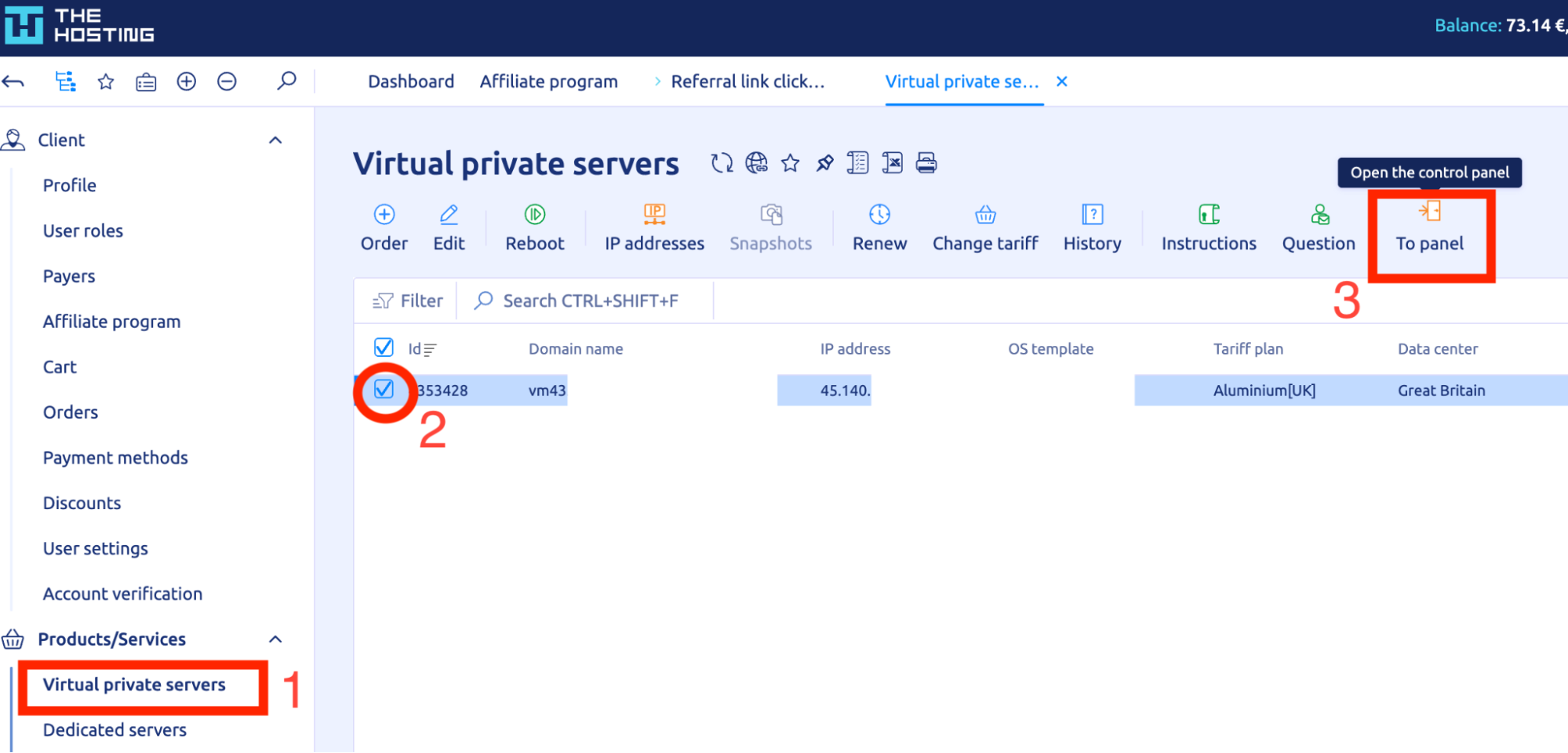
In THE.Hosting billing, go to the Virtual private servers section.
Find your server and click To panel — the VMmanager interface will open.
Run the Installation Script
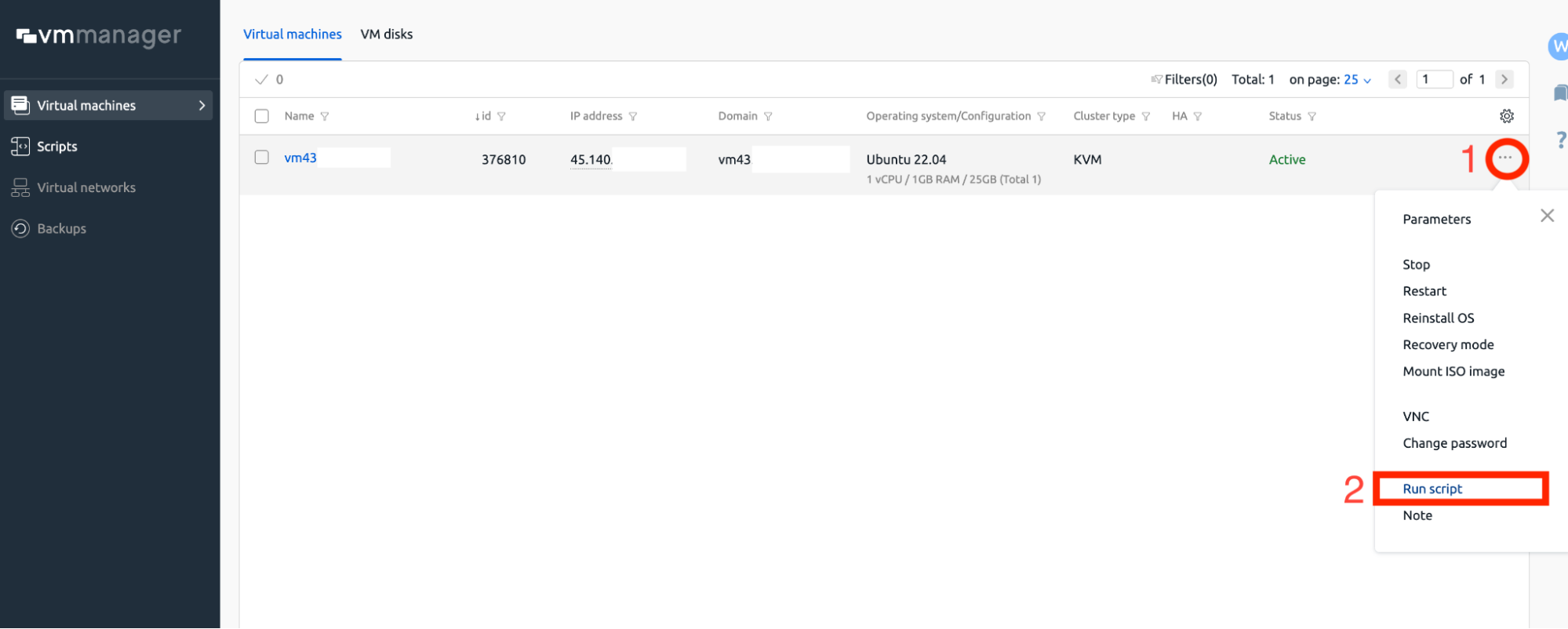
In VMmanager, click the "…" icon next to your server and select Run script.
Enter Your Server Credentials
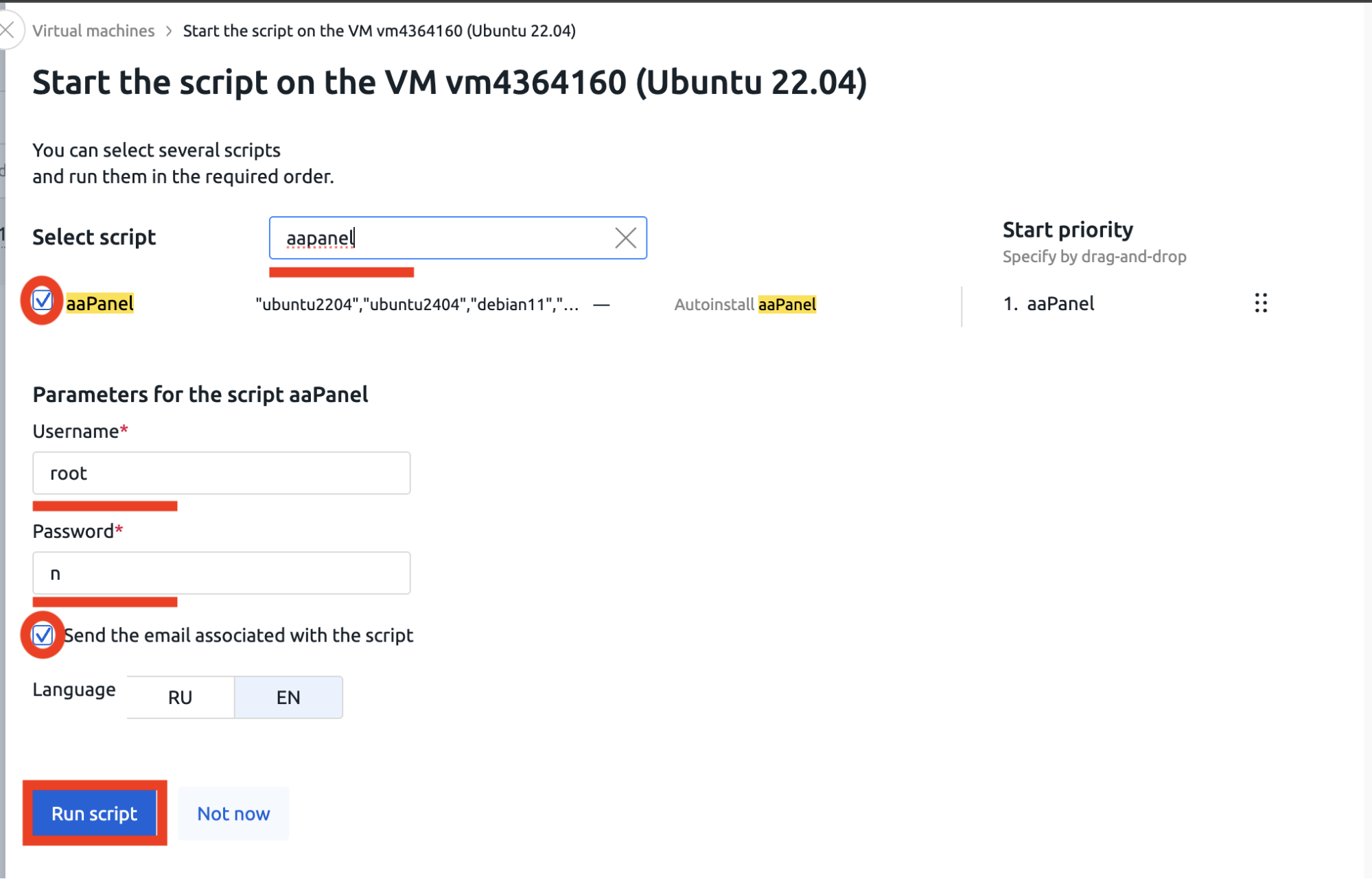
- Search for aapanel and check the aaPanel script.
- Username — enter root.
- Password — enter the root password of your server (the one you received in the VPS details email).
- Enable Send the email associated with the script to receive an email with access details.
- Choose the interface language (RU or EN).
- Click Run script.
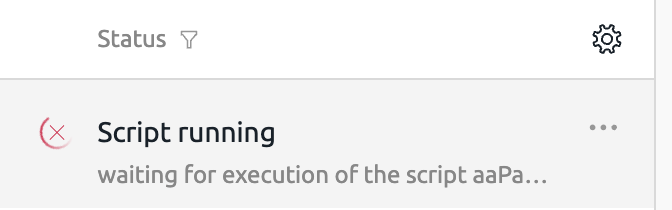
The status will change to Script running — installation usually takes 5–10 minutes.
Accessing aaPanel
Once the installation is complete, aaPanel will be available via HTTPS on port 8888: https://<server_IP>:8888
Example: https://45.140.xxx.xxx:8888
You will also receive an email with:
- Direct login link.
- Username (root).
- Password (root password of your panel).