




















































The htop utility is an interactive system monitor for Linux. It allows you to monitor and manage processes in real time.
Interface of htop
htop provides a more user-friendly and informative interface than the standard top utility. It displays a list of processes in a table, where each row represents a different process and the columns contain information about CPU utilization, memory usage and other parameters.
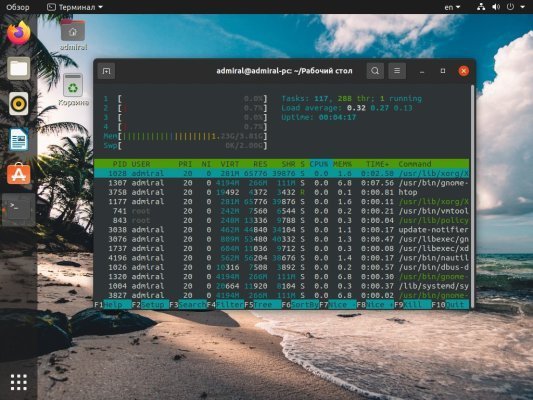
The utility also allows you to perform various actions on processes, such as terminate, suspend, and change priority. It also provides additional system information such as CPU utilization, memory usage, and network connection status.
How to install.
To install htop in Ubuntu you can use:
sudo apt-get install htopTo install in CentOS, you can use the command:
sudo yum install htopOnce installed, you can run the utility by simply typing the htop command in the terminal.