




















































Important Notice Before You Start
The Ferrum plan becomes available only after completing the KYC procedure (Know Your Customer - identity verification). Without verification, you won't see this plan in the available options.
Step 1: Access THE.Hosting Billing Panel
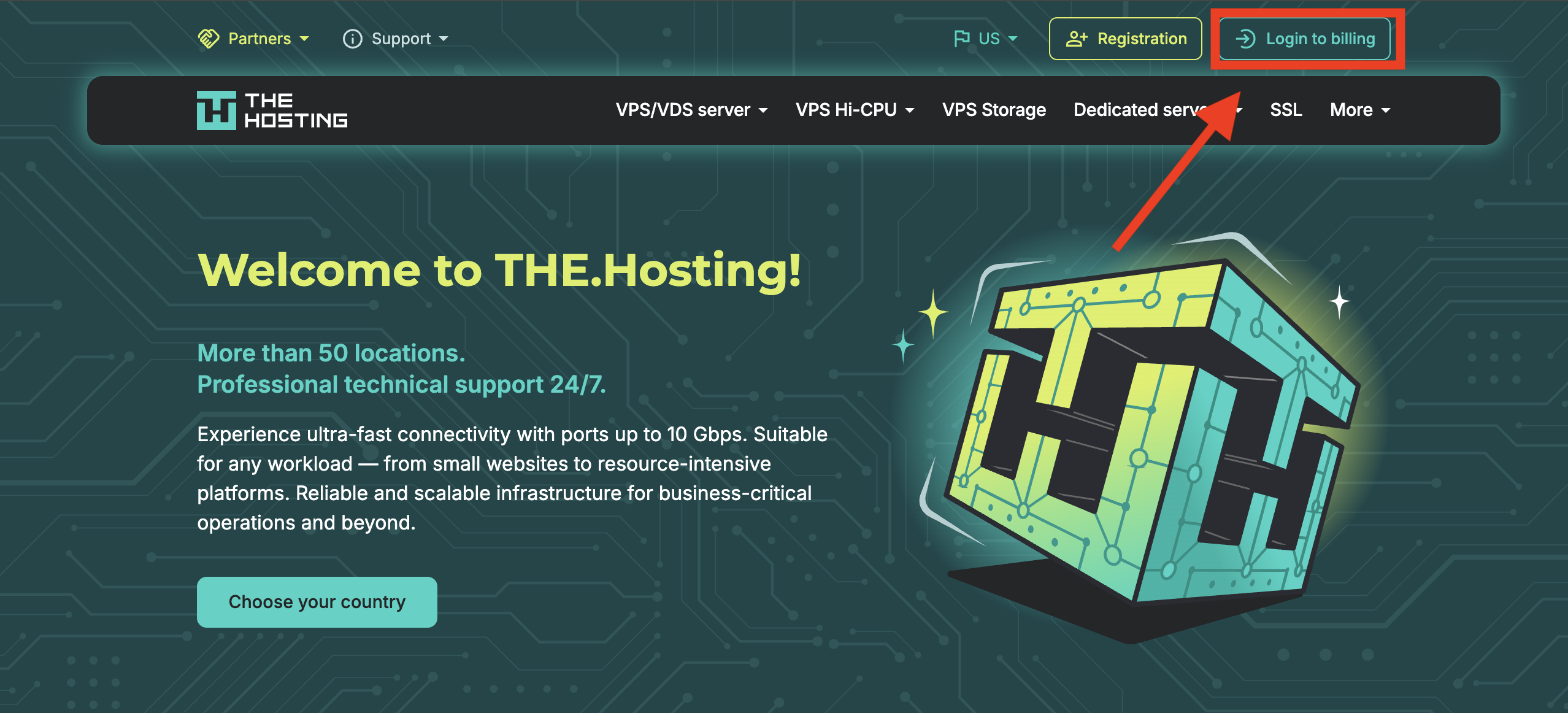
- Open the the.hosting homepage.
- Click the "Login to billing" button in the top right corner.
Step 2: Sign In to Your Account
If you already have a THE.Hosting account:
- Enter your email (login).
- Enter your password.
- Select your preferred language.
- Complete the reCAPTCHA (check "I'm not a robot").
- Click "Sign in".
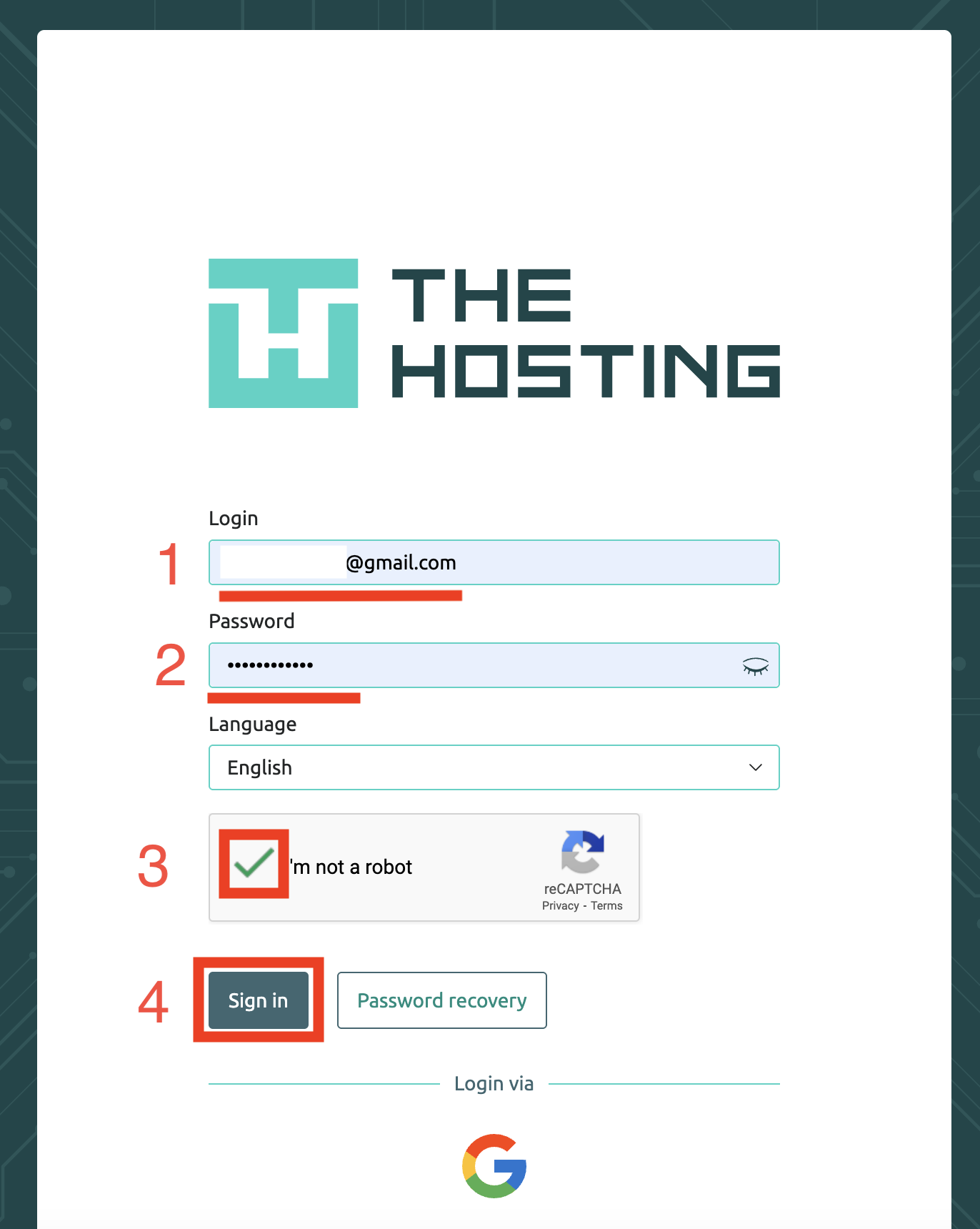
Don't have an account? Register through the registration form or use Google sign-in.
Step 3: Complete KYC Verification
This is a mandatory step! Without verification, the Ferrum plan won't be available.
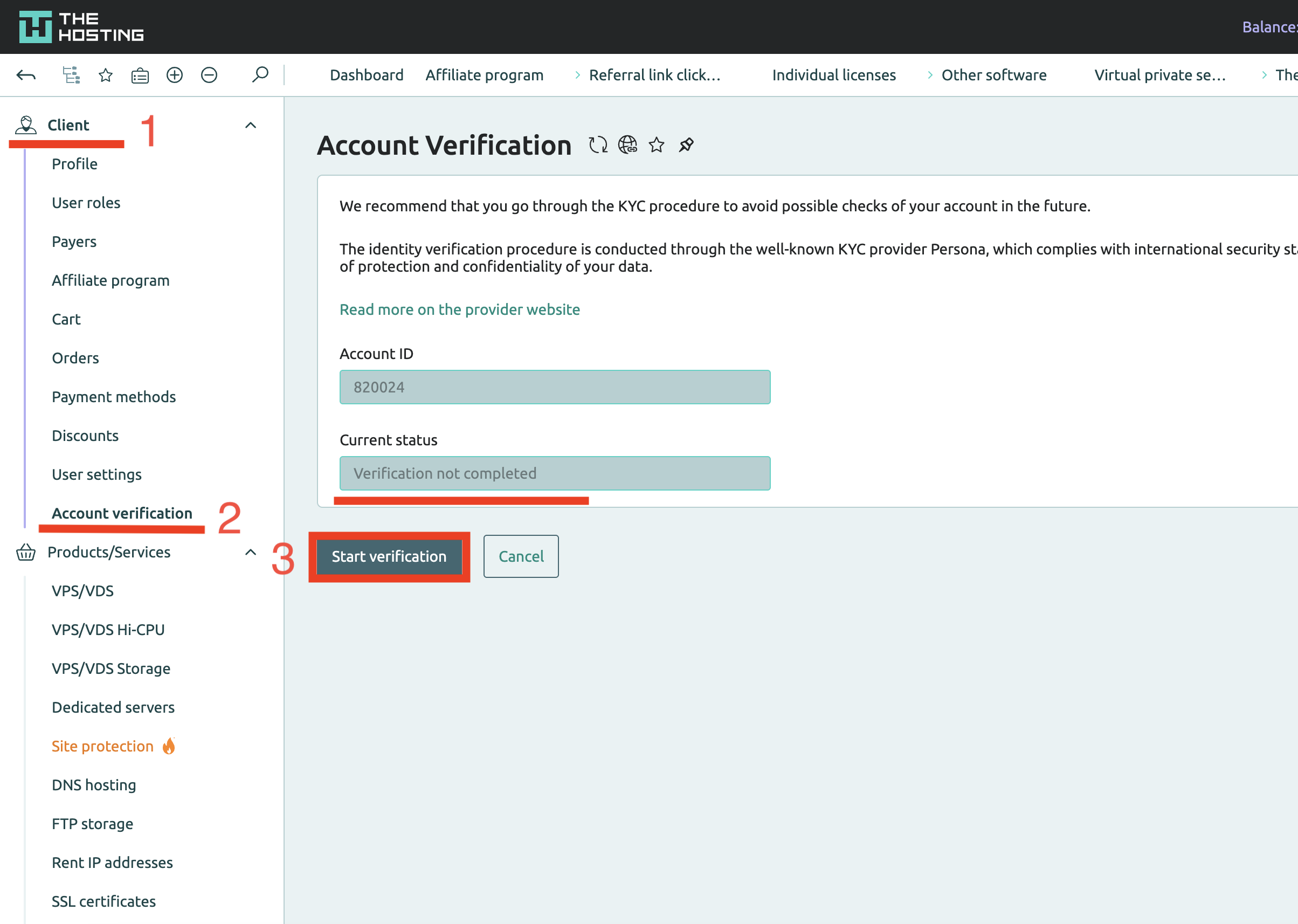
3.1 Navigate to Verification
After logging into the billing panel:
- Open the "Client" section in the left menu.
- Select "Account verification".
- On the verification page, click "Start verification".
3.2 Begin Verification Process via Persona
You will be redirected to Persona — a trusted international KYC verification provider:
- Review the process information.
- Click "Begin verifying".
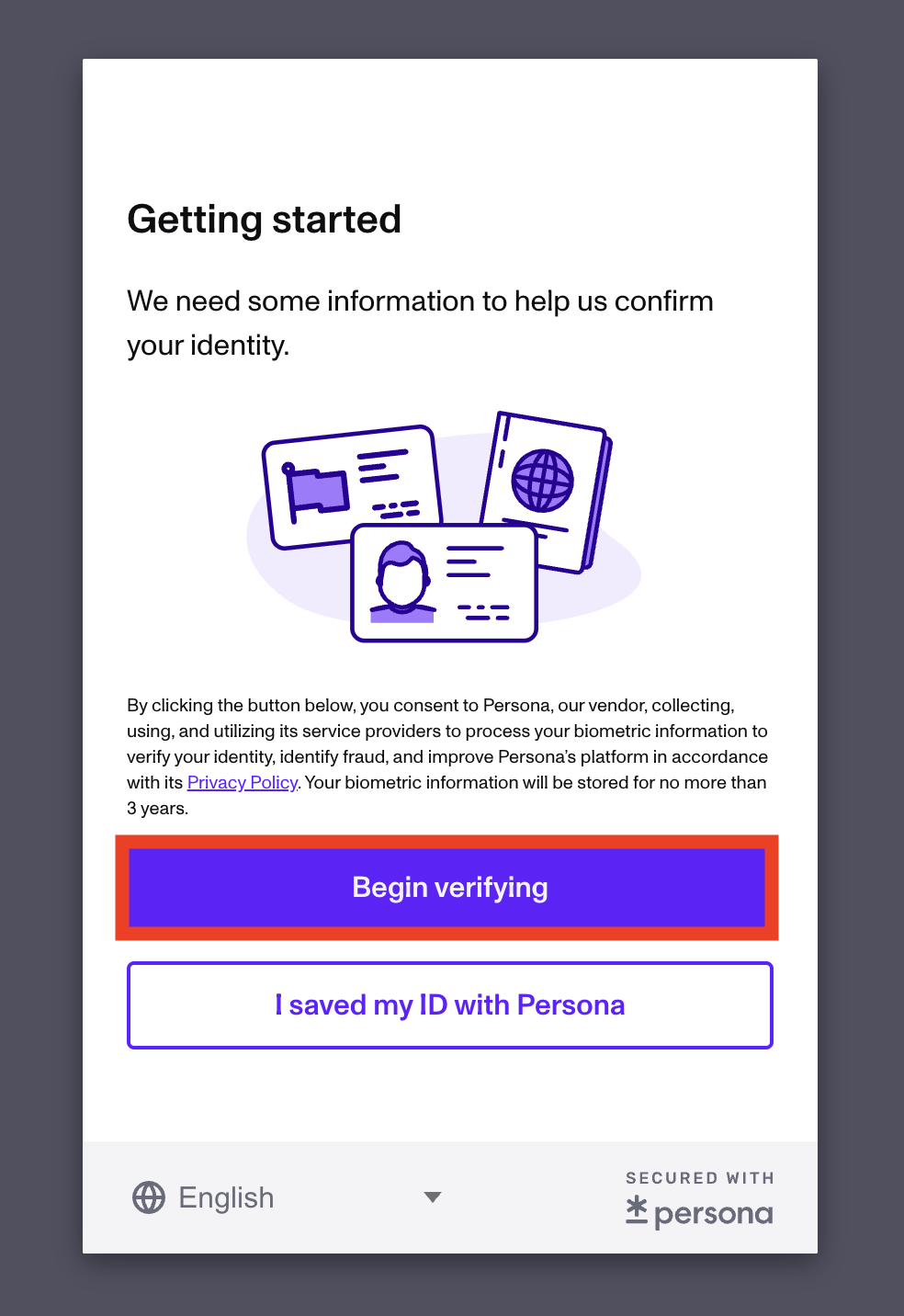
Alternative: If you've already verified through Persona before, click "I saved my ID with Persona"
3.3 What You'll Need for Verification
- Identity document (passport, ID card, or driver's license).
- Camera on your device (for document photo and selfie).
- 2-5 minutes of your time.
Follow Persona's instructions to complete verification. The process is usually automated and takes just a few minutes.
Step 4: Navigate to VPS Order
After successful verification:
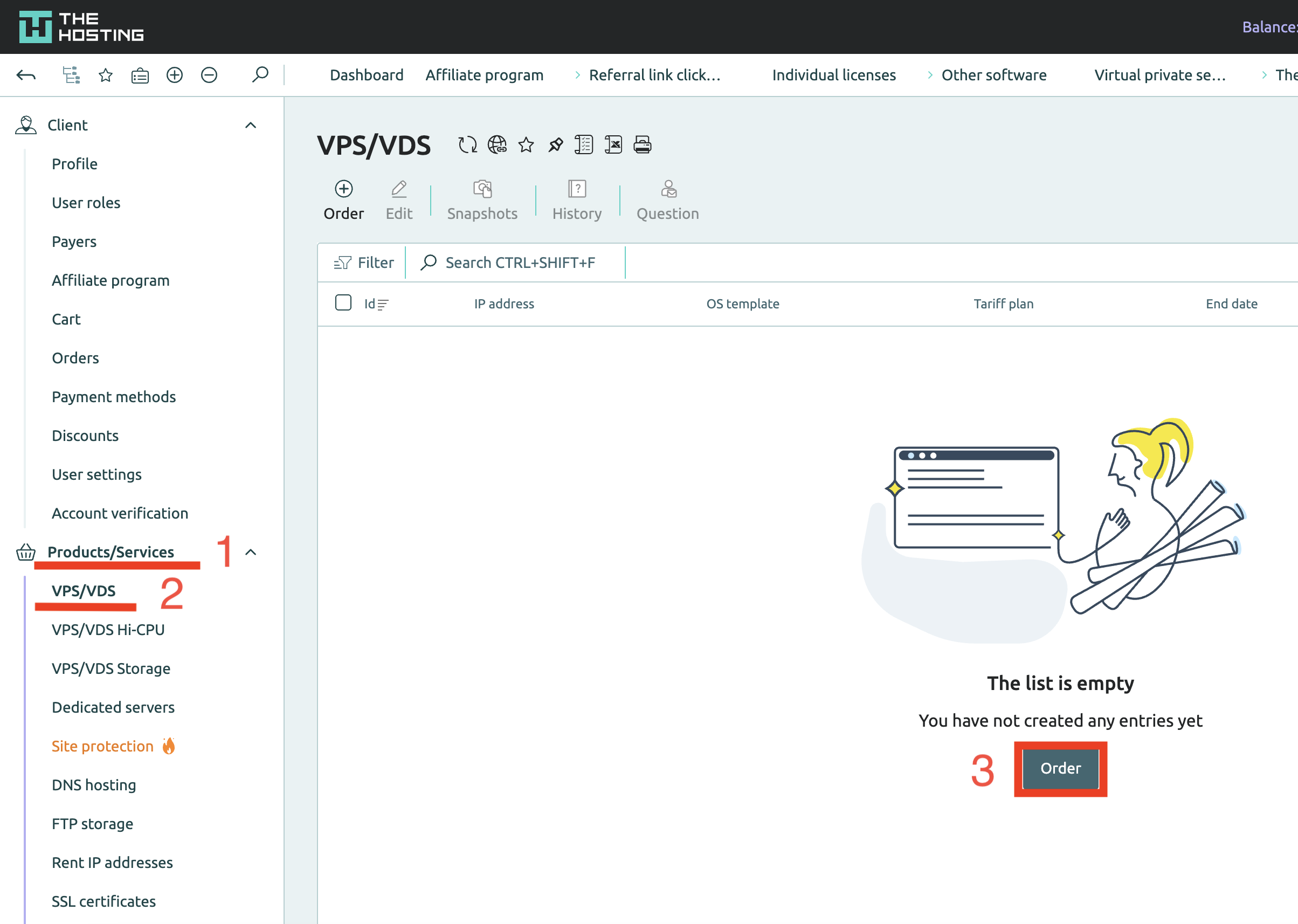
- Open the "Products/Services" section in the left menu.
- Select "VPS/VDS".
- Click the "Order" button.
Step 5: Select the Ferrum Plan
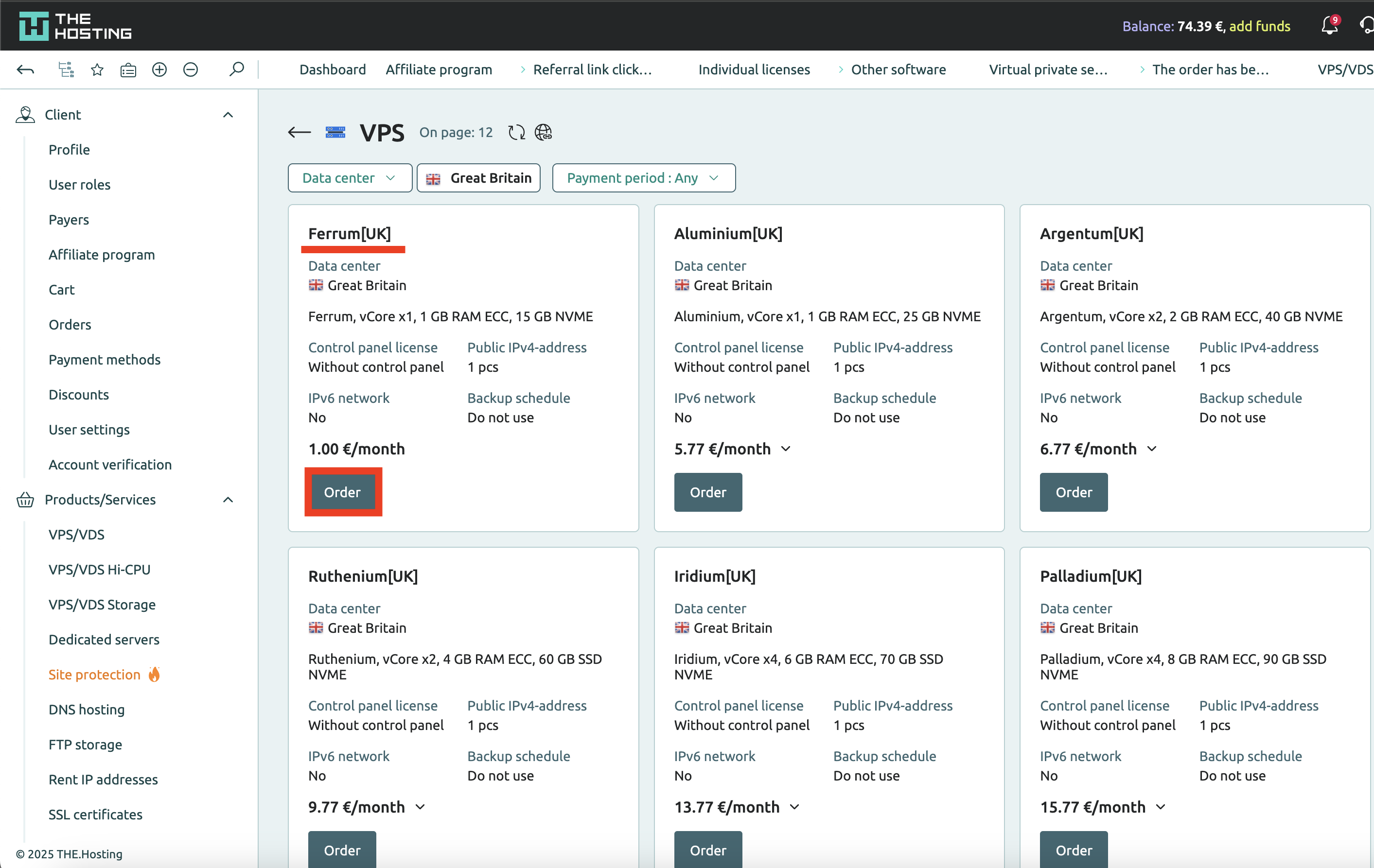
On the VPS plans selection page:
- Find the "Ferrum[UK]" plan (or another location).
- Note the price: 1.00 €/month.
- Click "Order" under your chosen plan.
Ferrum Plan Specifications:
- vCore: x1.
- RAM: 1 GB ECC.
- Storage: 15 GB NVMe.
- Port: 10 Gbps (shared channel).
- Traffic: Unlimited.
- IPv4: 1 address.
- Locations: All available (50+).
Step 6: Configure Your Server
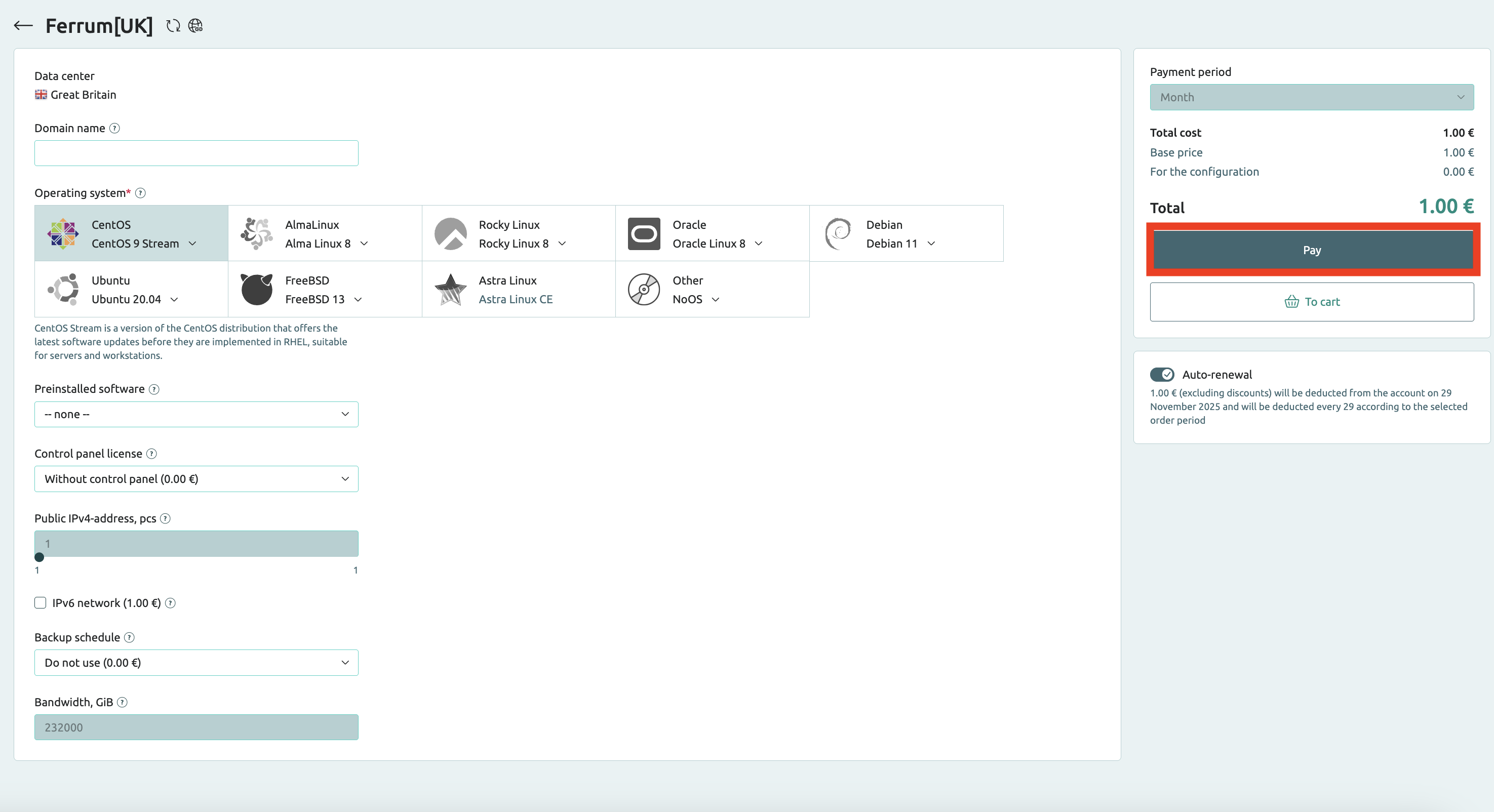
On the configuration page:
- Domain name: (optional) Specify a domain name for convenience.
- Operating system: Choose your OS (CentOS, Ubuntu, Debian, Rocky Linux, AlmaLinux, FreeBSD, etc.).
- Preinstalled software: (optional) Select pre-installed software.
- Control panel license: Choose a control panel license if needed (without panel = free).
- Public IPv4-address, pcs: Number of IPv4 addresses (1 included).
- IPv6 network: Enable IPv6 if needed (additional €1.00).
- Backup schedule: Backup schedule (can leave as "Do not use").
- Bandwidth, GiB: Bandwidth (232000 GiB included).
- Payment period: Select Month.
- Total cost: 1.00 €.
- Review your configuration and click "Pay".
Tip: For your first VPS, we recommend keeping the basic configuration without additional options.
Step 7: Payment
After clicking "Pay":
- You'll be redirected to the payment page.
- Choose your preferred payment method.
- Pay 1.00 €.
- Confirm the payment.
Step 8: Server Activation
After successful payment:
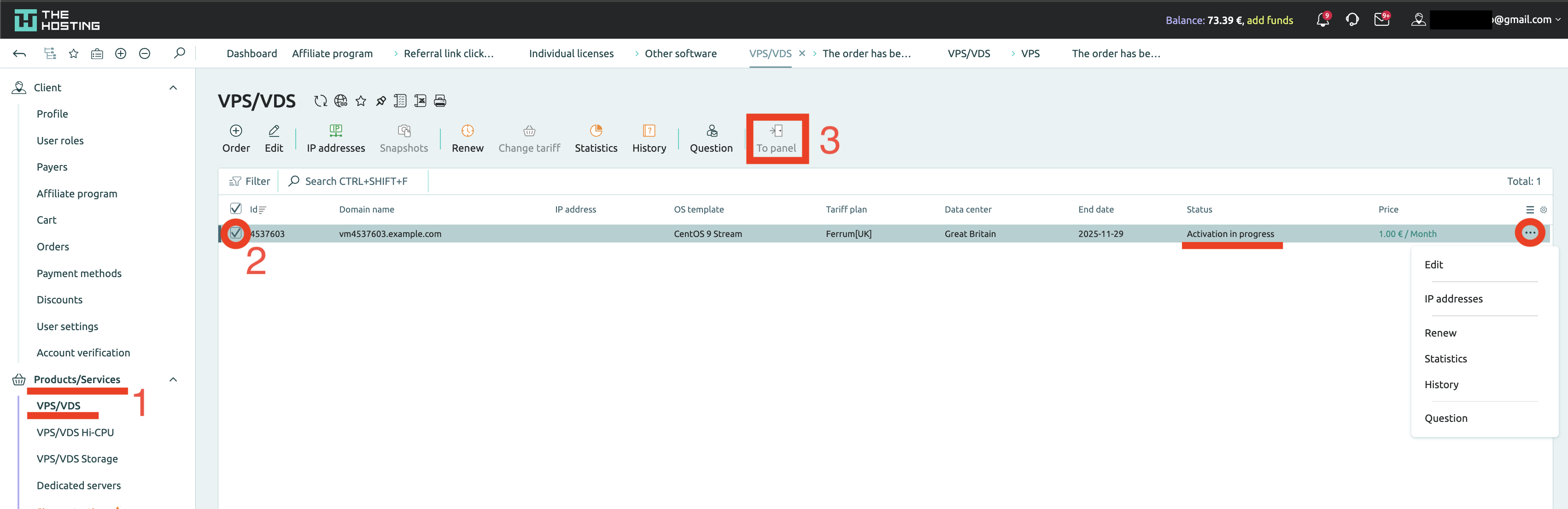
- Return to the "VPS/VDS" section.
- You'll see your server listed with status "Activation in progress".
Activation Time:
- Usually: 2-5 minutes.
- Maximum: up to 15 minutes.
Once the server is activated:
- Status will change to "Active".
- You'll receive an email with access credentials (IP address, root password).
- You can access the server control panel ("To panel").
Important Ferrum Plan Terms
Please note:
- Once per account: You can order only ONE Ferrum plan per account.
- Maximum duration: Up to 6 months.
- No renewal: The tariff can be renewed for a maximum of 6 months.
- Upgrade option: You can always migrate to any other plan (Argentum, Ruthenium, etc.).
What's Next?
After server activation, you can:
- Connect via SSH.
- Install necessary software.
- Deploy a website or application.
- Run Telegram/Discord bots.
- Test Docker, Kubernetes, and other technologies.
Need Help?
If you have questions:
- Technical Support: 24/7 via billing panel or email
- Knowledge Base: https://the.hosting/en/help/
Done! Now you have a full-featured VPS for €1 for 6 months. Welcome to THE.Hosting!