




















































Sometimes a single IP address is not enough for a server — especially as a project grows, new services appear, or the infrastructure needs to be separated. At THE.Hosting, additional IPs can be ordered through the billing system. The process takes only a few minutes and does not require complex configuration.
Important: The option to order additional IP addresses is available for VPS plans starting from Argentum.
Why You Might Need Additional IP Addresses
One of the most common reasons for ordering extra IPs is hosting multiple projects on the same server with different requirements. For example, if several websites run on one server, they may require their own IP addresses. This can be important for configuring SSL certificates in specific scenarios or for compatibility with legacy systems. In addition, if one project receives complaints or ends up on blacklists, the other IP addresses will not be affected.
Additional IPs are also often used when working with mail servers. IP reputation plays a crucial role in email delivery. Splitting outgoing mail across different IPs allows you to separate transactional emails, notifications, and marketing campaigns. This reduces the risk of blocks and improves the deliverability of critical messages.
In some cases, extra IP addresses are required to meet the requirements of partners or payment systems. Certain APIs, banking gateways, and corporate networks rely on IP allowlists. Having a dedicated IP for a specific service simplifies access configuration and improves infrastructure management.
Step-by-Step Instructions
1. Log in to THE.Hosting and go to the Billing section. It is usually accessible from the top menu or the account dashboard.
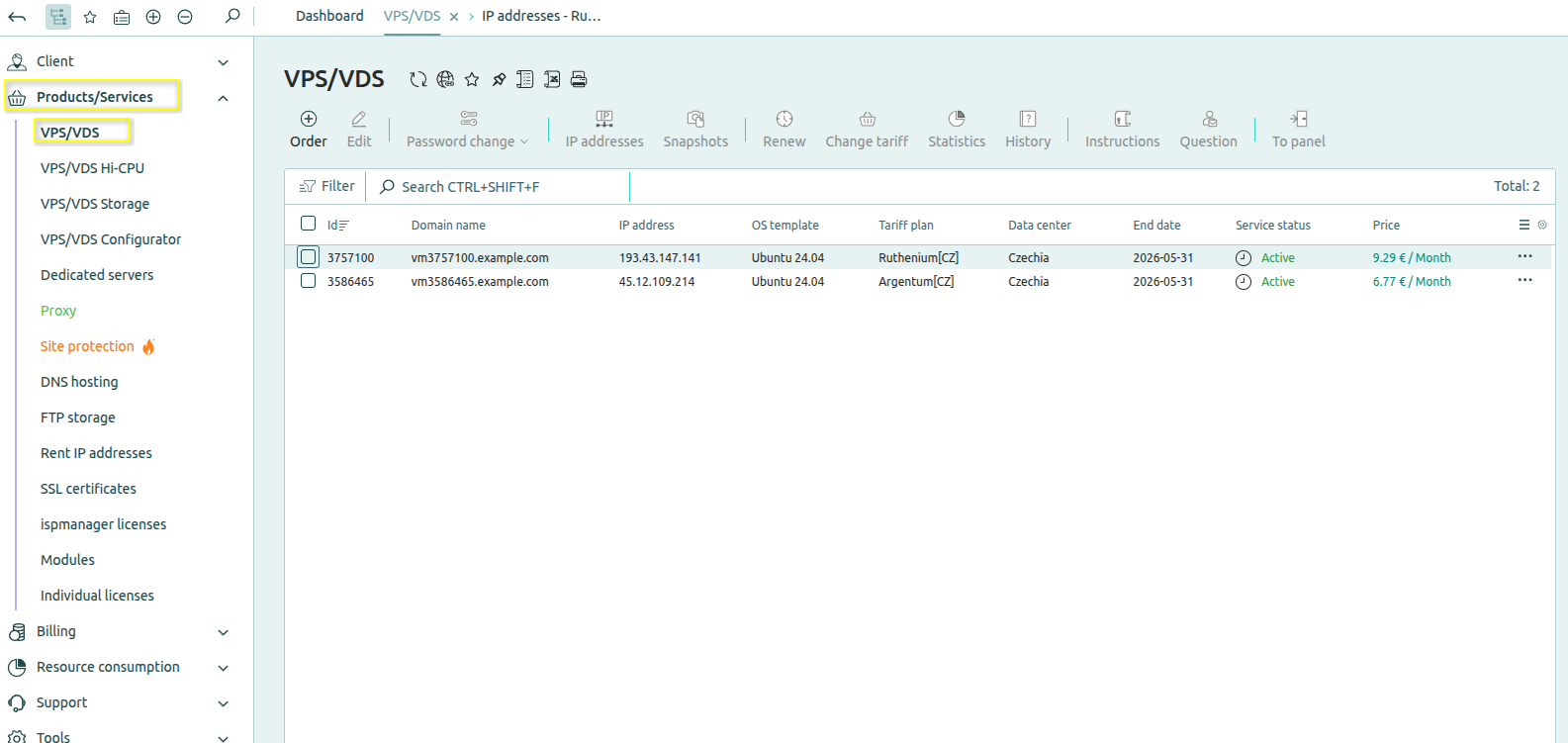
2. In the sidebar menu, open the Products/Services tab, then navigate to VPS.
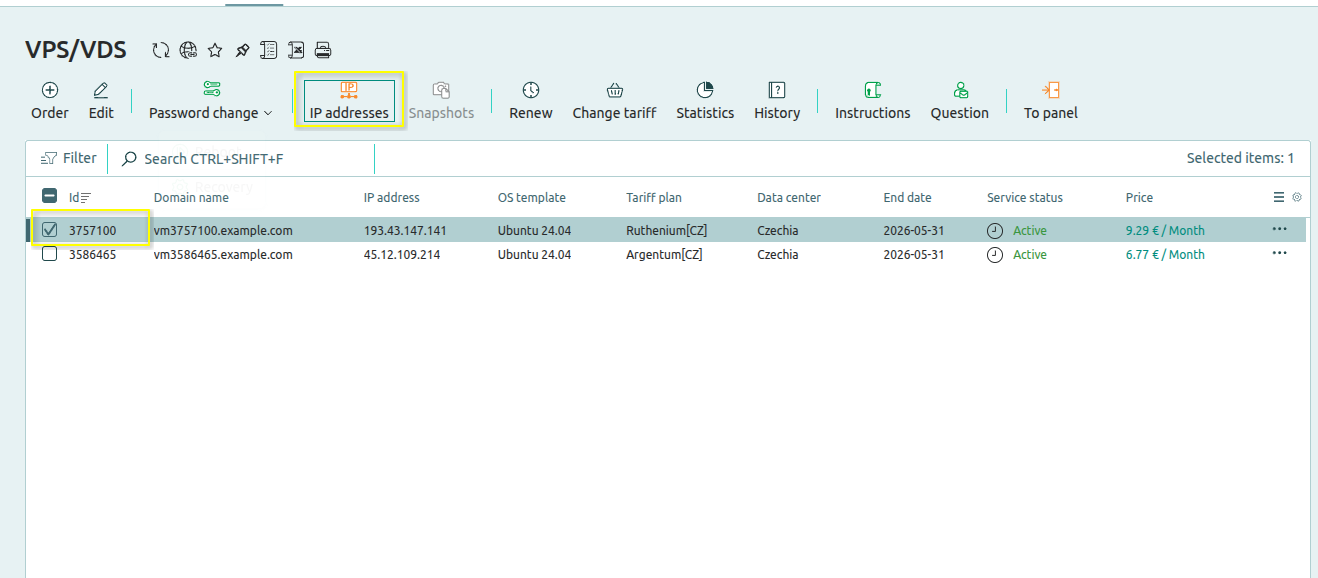
3. Select the virtual server for which you want to order additional IP addresses and click the IP Addresses button.
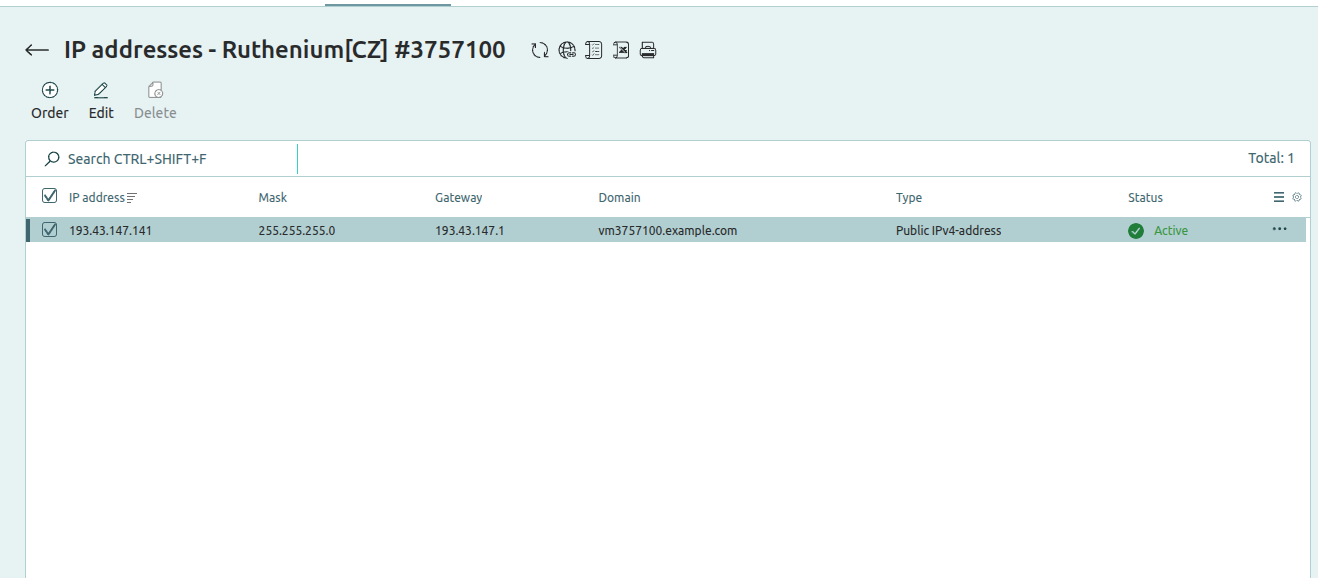
4. Check the box next to the IP address option and click Order.
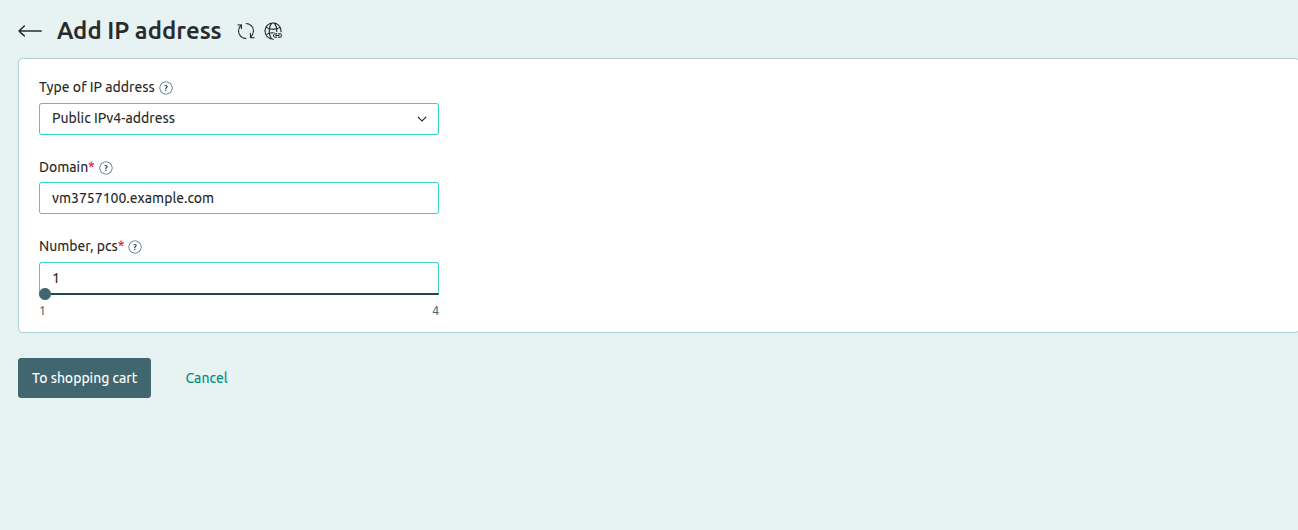
5. Choose the number of IP addresses you need.
6. Pay for the order using any convenient payment method.
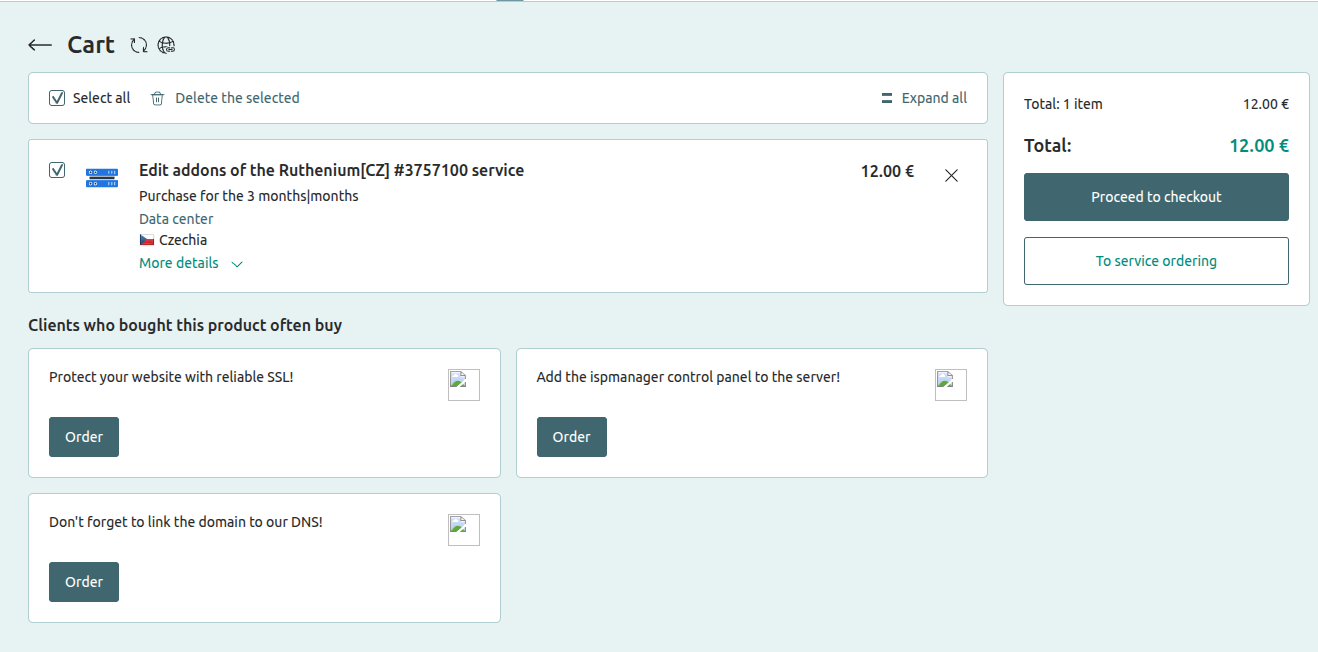
After payment, the rental will be activated and the allocated IP addresses will appear in your account. You can then configure them on your server depending on how you plan to distribute your services.