




















































13.12.2024
16:06
To change the tariff on your server
Follow the steps below:
1. Authorize in the billing system. (Authorization data can be found on your E-mail, which you used to регистрации аккаунта).
2. On the left, under "Products/Services" - click on "Virtual Private Servers".
3. Select the server you are interested in and click on the "Change tariff" button.
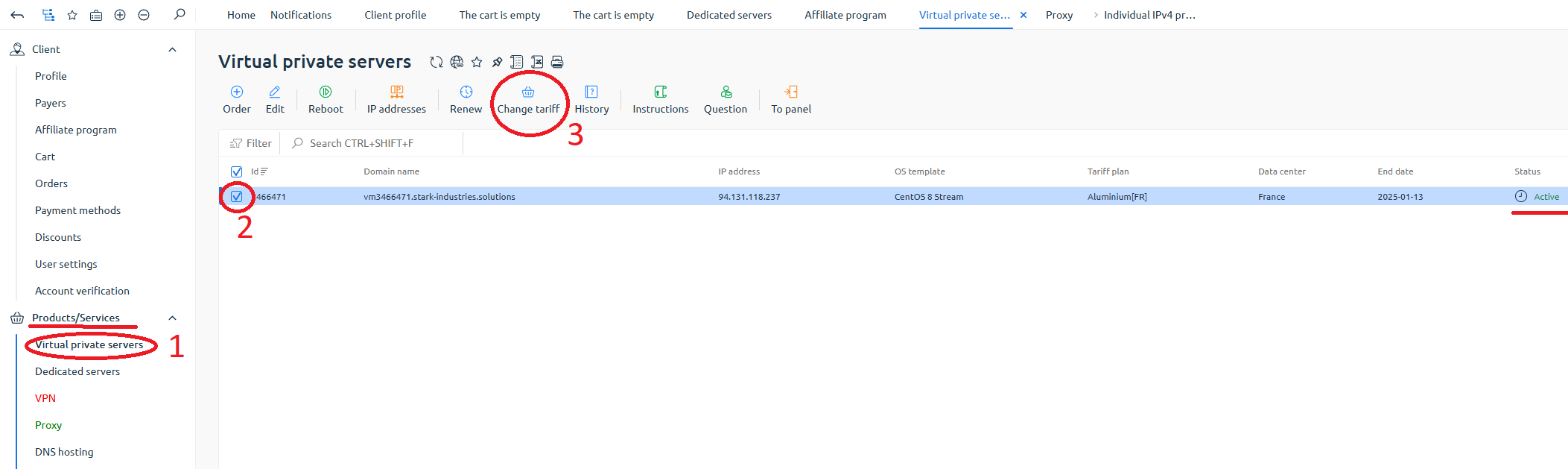
A window will open with a choice of tariff plan:
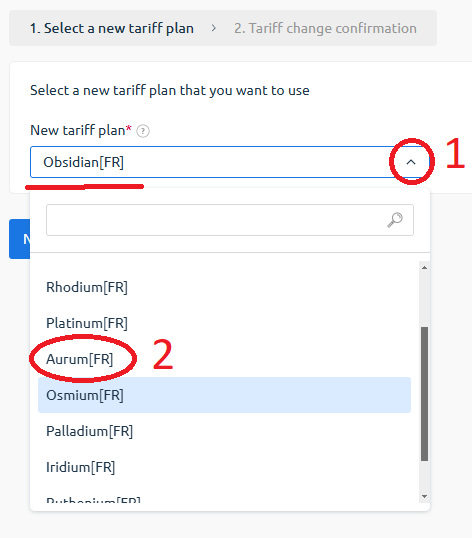
4. Open the drop-down menu by clicking the down arrow.
5. Select a new tariff.
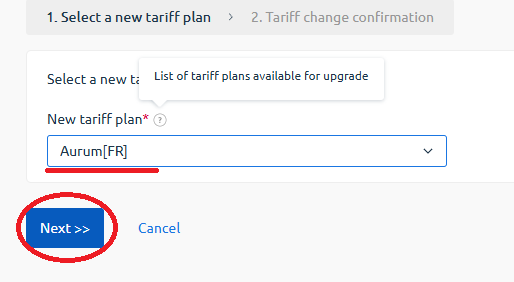
6. Click "Next".
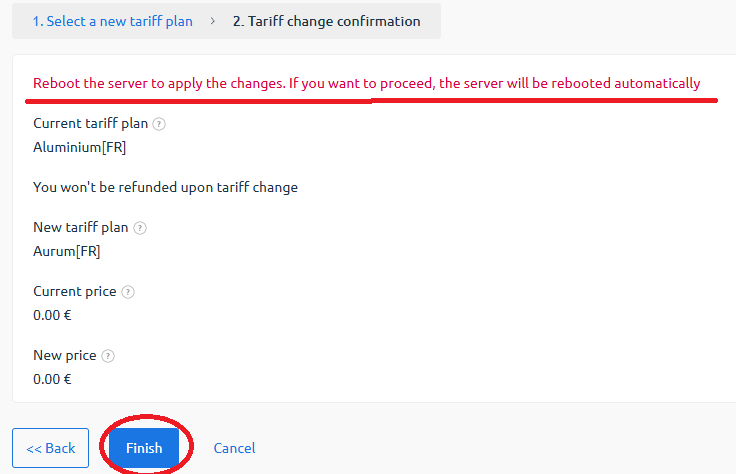
Note that the server will restart automatically after you click on "Finish".
7. Click on "Finish."
Done!
The tariff plan has been changed!

Important: The tariff cannot be LOWERed, it can only be raised.
20% OFF for new server order in any country!
A reliable server for your projects at an affordable price.
Other articles
13.12.2024
2 263
Knowledge base / Terminal
13.12.2024
4 145
Knowledge base / Windows
13.12.2024
2 807
Knowledge base / Terminal