




















































Adding a legal entity payer in your THE.Hosting account takes just a few minutes. Here is a step-by-step guide.
Step 1. Log in to your account
Go to client.the.hosting and sign in using your email address and password.
Step 2. Open the Payers section
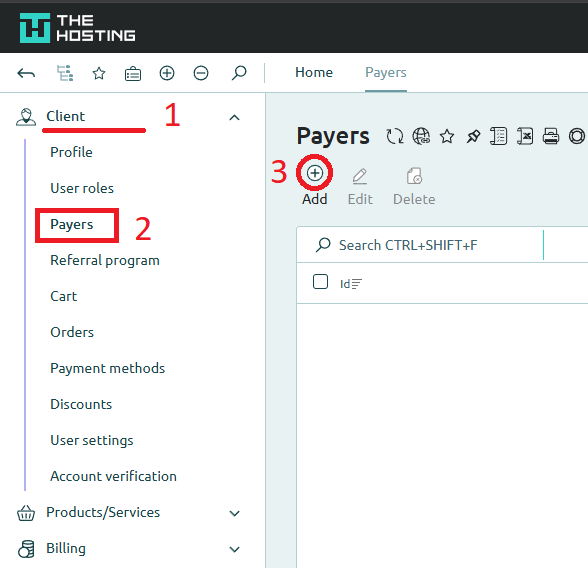
In the left-hand menu, expand the Client section (1).
Then click Payers (2).
The page will display a list of payers already added to your account. If none have been created yet, the table will be empty.
Step 3. Add a new payer and fill in the details
Click the Add button (3) at the top of the page.
In the form that opens, select Legal entity as the payer type, enter your company details, and save the record. The new payer will then appear in the list and will be available when placing orders or generating invoices.